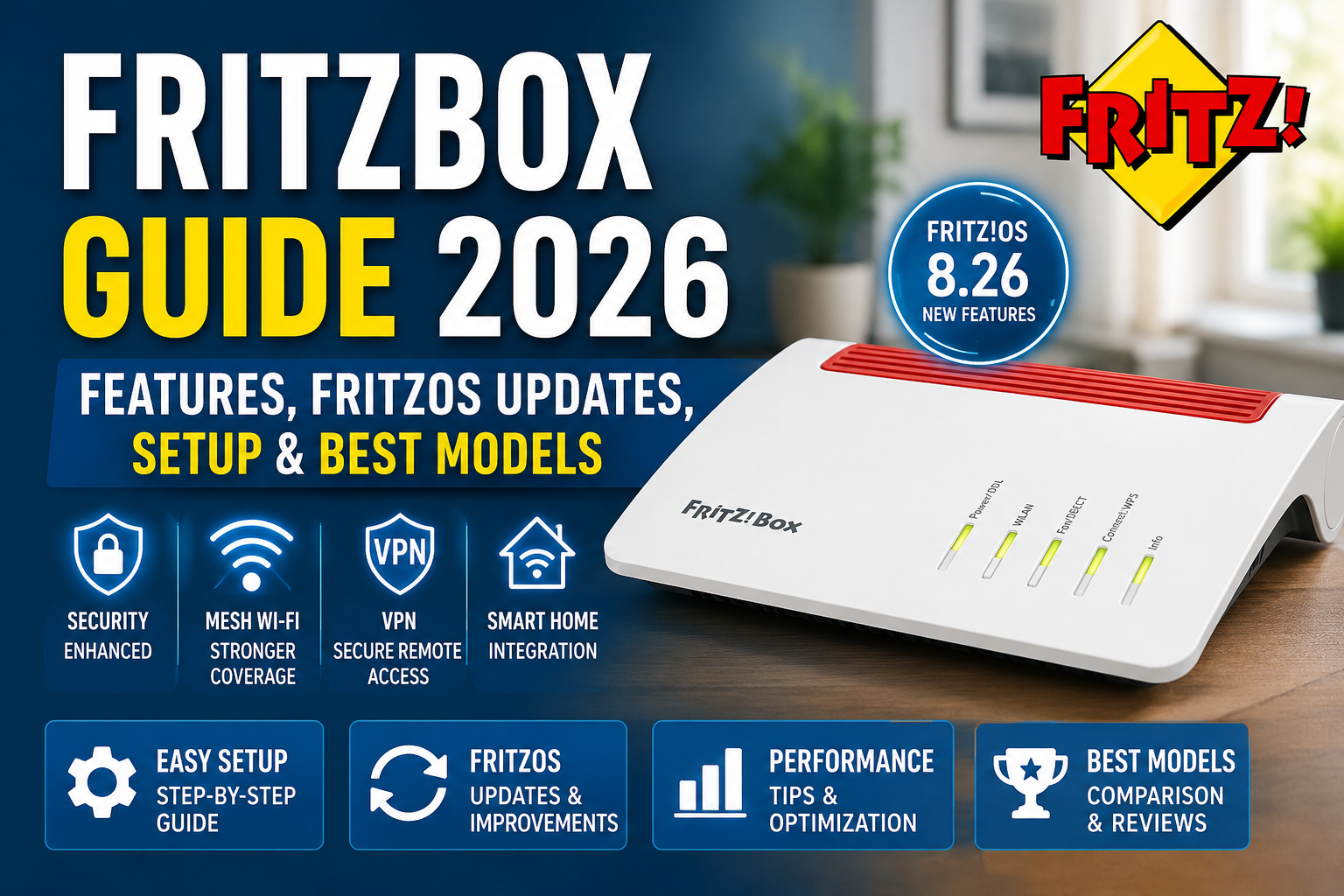

A fast internet connection is only as good as the router managing it, and a Fritzbox router is a popular choice for reliable home networking. Whether you’re streaming 4K movies, working remotely, gaming online, or connecting dozens of smart home devices, your router plays a central role in keeping everything running smoothly.
For millions of households across Europe—and an increasing number of networking enthusiasts worldwide—Fritzbox has built a reputation for reliability, advanced features, and long-term software support. Unlike many routers that simply provide Wi-Fi access, Fritzbox devices combine networking, security, telephony, mesh Wi-Fi, VPN capabilities, and smart home management into a single platform.
Recent updates to FritzOS, the operating system powering Fritzbox routers, have introduced new performance improvements, stronger security protections, expanded VPN compatibility, and additional smart home features. These improvements continue to make Fritzbox one of the most capable consumer networking solutions available.
Whether you’re considering buying your first Fritzbox router or you’re looking to get more from an existing model, this guide explains everything you need to know.
In this comprehensive guide you’ll discover the following:
- What Fritzbox is
- Why it has become so popular
- The latest FritzOS improvements
- Security enhancements
- New networking features
- Performance upgrades
- Supported router models
- Which users benefit most from FritzBox?
Let’s start with the basics.
What Is Fritzbox?
The FritzBox is a premium line of networking devices developed by AVM, a German technology company specialising in internet connectivity solutions.
Rather than functioning as a basic wireless router, a Fritzbox often combines several devices into one system:
- Internet modem (DSL, cable or fiber depending on model)
- High-performance Wi-Fi router
- Mesh networking controller
- Telephone exchange
- VPN server
- NAS (Network Attached Storage)
- Smart home hub
- Guest network manager
- Security firewall
This all-in-one design reduces the need for separate networking hardware while simplifying management through a single web interface.
Instead of purchasing multiple networking devices individually, many users can handle nearly every home networking task from one Fritzbox.
Why Fritzbox Has Become So Popular
Router manufacturers often compete by advertising faster Wi-Fi speeds or more antennas. Fritzbox takes a different approach.
Its popularity comes from combining stability, software quality, security, and long-term support.
Some of the biggest reasons users choose a FritzBox include the following:
Reliable Performance
Many routers perform well immediately after installation but gradually become less stable over time.
FritzBox devices are widely recognised for maintaining consistent performance during continuous operation.
Whether supporting:
- Remote work
- Online learning
- Gaming
- Smart TVs
- Video conferencing
- Cloud backups
The router is designed to provide dependable connectivity for extended periods.
Long Software Support
One area where Fritzbox stands apart is software longevity.
Many consumer routers receive updates for only a short period after release. Fritzbox models often continue receiving feature updates, compatibility improvements, bug fixes, and security patches years after launch.
This longer lifecycle helps users protect their investment while keeping their home networks secure.
Excellent Security
Cybersecurity threats continue evolving every year.
Routers are frequent targets because they sit between internet providers and every connected device inside a home.
The Fritzbox includes multiple built-in security features such as the following:
- Automatic update notifications
- Firewall protection
- WPA3 wireless encryption
- Secure guest Wi-Fi
- VPN connectivity
- Protected remote access
- Encrypted administration
These features help reduce common security risks without requiring advanced networking knowledge.
Easy User Interface
Networking equipment can sometimes overwhelm users with technical terminology.
Fritzbox focuses on making advanced networking easier to understand.
The web interface organises settings into logical categories, including:
- Internet
- Wireless
- Home Network
- Mesh
- Smart Home
- Telephony
- Diagnostics
- System
Even beginners can usually configure common settings without extensive technical experience.
Understanding FritzOS
Every Fritzbox router runs an operating system called FritzOS.
Think of it as the software brain controlling every function inside the router.
Instead of replacing hardware every few years, AVM continually improves FritzOS by releasing updates that add the following:
- New features
- Better compatibility
- Faster performance
- Improved security
- Bug fixes
- Smart home enhancements
- VPN improvements
- Stability upgrades
This software-first approach allows older hardware to gain new capabilities over time.
What’s New in the Latest FritzOS Updates?
Recent FritzOS releases continue to refine the user experience with meaningful improvements rather than cosmetic changes.
Some updates focus on increasing stability, while others expand support for newer networking technologies.
Major improvement areas include:
Better Internet Stability
Internet interruptions are among the most frustrating issues for users.
Recent FritzOS improvements include the following:
- Improved DSL synchronization
- Better line stability
- Faster recovery after temporary outages
- Reduced connection interruptions
- Improved compatibility with internet providers
For users experiencing unstable broadband connections, these refinements can noticeably improve day-to-day reliability.
Improved Wi-Fi Performance
Wireless performance depends on much more than maximum advertised speed.
Recent improvements help optimise the following:
- Device roaming
- Mesh coordination
- Channel management
- Signal quality
- Network responsiveness
This leads to smoother performance across multiple rooms rather than simply increasing peak download speeds.
Expanded VPN Features
Remote work has become increasingly common, making VPN functionality more important than ever.
Modern FritzOS versions improve VPN usability through the following:
- Easier setup
- Better compatibility
- Improved encryption
- Faster connections
- Simplified device management
Users can securely access their home network while travelling or working remotely.
Smarter Home Networking
Today’s homes may have:
- Smartphones
- Tablets
- Gaming consoles
- Smart TVs
- Security cameras
- Smart speakers
- Doorbells
- Lighting systems
- Thermostats
- Home assistants
Managing dozens of connected devices requires intelligent network organisation.
FritzOS improves:
- Device prioritization
- Automatic optimization
- Network visibility
- Connection monitoring
- Mesh management
This helps maintain smooth performance even as more devices connect simultaneously.
Enhanced Smart Home Support
Many Fritzbox models also function as smart home controllers.
Recent software improvements expand support for:
- Smart switches
- Heating controls
- Power monitoring
- Automation routines
- Scheduling
- Device grouping
Users can manage compatible smart home devices from one central dashboard.
Why Software Updates Matter More Than Ever
Many people only think about updating smartphones or computers.
Routers are often forgotten.
Unfortunately, outdated routers can become vulnerable to the following:
- Security exploits
- Compatibility issues
- Performance degradation
- Wi-Fi instability
- Internet provider changes
Installing the latest FritzOS version helps ensure your router continues operating efficiently while receiving protection against newly discovered vulnerabilities.
Major Benefits of Keeping FritzOS Updated
Updating isn’t only about security.
It can also improve the overall user experience.
Benefits may include:
| Improvement | User Benefit |
|---|---|
| Better Wi-Fi optimization | Faster wireless performance |
| Security patches | Reduced cyber risks |
| Bug fixes | Fewer unexpected issues |
| VPN improvements | Better remote access |
| Mesh enhancements | More reliable whole-home coverage |
| Smart home updates | Expanded device compatibility |
| Internet compatibility | Better ISP performance |
| System optimization | Smoother router operation |
Security Improvements in Recent FritzOS Versions
Network security has become increasingly important as cyberattacks continue targeting home users.
A compromised router can potentially expose the following:
- Computers
- Smartphones
- Smart TVs
- Security cameras
- Cloud accounts
- Home automation systems
Recent FritzOS improvements strengthen multiple layers of protection.
Stronger Wireless Encryption
Modern routers increasingly support WPA3 encryption.
Compared with older wireless security standards, WPA3 offers:
- Better password protection
- Improved encryption
- Enhanced resistance to brute-force attacks
- Better protection on public or guest networks
Where supported, Fritzbox enables stronger wireless security while maintaining compatibility with older devices when necessary.
Improved Guest Networks
Sharing Wi-Fi with visitors doesn’t have to mean giving them access to every device in your home.
Guest Wi-Fi networks help isolate visitor traffic from the following:
- Personal computers
- NAS storage
- Printers
- Security cameras
- Smart home devices
This creates an extra layer of privacy without making internet access inconvenient.
Better Remote Access Security
Many users access their home network remotely.
Secure remote access now includes stronger authentication methods, encrypted communication, and easier configuration options that reduce setup errors.
Continuous Security Refinements
Software updates also improve protection against newly identified vulnerabilities.
Rather than waiting until serious problems appear, regular updates help keep your network protected with ongoing maintenance and improvements.
Performance Improvements Beyond Speed
When shopping for routers, people often focus only on Mbps ratings.
Real-world networking performance involves much more.
Recent FritzOS improvements optimise the following:
- Latency
- Connection consistency
- Packet handling
- Multi-device performance
- Memory management
- System responsiveness
These optimisations create a smoother experience during everyday activities such as:
- Video conferencing
- Cloud backups
- Multiplayer gaming
- Streaming
- Large downloads
- Remote work
Better Performance for Busy Households
Today’s average home has significantly more connected devices than just a few years ago.
A modern household may include:
- Multiple smartphones
- Laptops
- Tablets
- Smart TVs
- Streaming devices
- Voice assistants
- Gaming consoles
- Smart lighting
- Security systems
- Wearables
Instead of focusing solely on maximum speed, FritzOS helps manage traffic efficiently so multiple users can stay connected with fewer interruptions.
Supported Fritzbox Models
One of the strengths of the Fritzbox ecosystem is its wide variety of models designed for different internet technologies and household needs.
Depending on your internet connection and performance requirements, you may find models optimised for DSL, fibre, cable, or advanced Wi-Fi standards.
Some of the most well-known FritzBox devices include the following:
| Model | Best For | Highlights |
|---|---|---|
| Fritzbox 5690 Pro | Fiber and DSL users | Wi-Fi 7 readiness, premium performance, future-focused networking |
| Fritzbox 5690 XGS | High-speed fiber | Designed for next-generation fiber internet connections |
| Fritzbox 7690 | Modern households | Strong Wi-Fi performance with broad device compatibility |
| Fritzbox 7590 AX | Home offices and families | Reliable Wi-Fi 6 performance and long-term software support |
| Fritzbox 7530 AX | Everyday home use | Balanced features with excellent value |
| Fritzbox 4060 | Users with external modems | Powerful standalone Wi-Fi router with mesh capabilities |
| Fritzbox 6850 5G | Mobile broadband users | Supports 5G internet connectivity where wired broadband isn’t available |
Each model targets different users, but they all share the same FritzOS software ecosystem, providing a familiar interface and many of the same core features across the lineup.
Who Should Consider a Fritzbox?
A Fritzbox router is especially well suited for users who value long-term reliability, integrated features, and ongoing software support. It can be an excellent choice if you:
- Work from home and need stable video calls.
- Stream movies or live sports on multiple devices.
- Play online games and want dependable connectivity.
- Use smart home devices throughout your house.
- Need secure remote access to your home network.
- Want a router that continues receiving updates for years.
- Prefer managing networking, Wi-Fi, telephony, and smart home functions from a single interface.
Its combination of performance and ease of use makes it suitable for both everyday users and networking enthusiasts.
Complete Fritzbox Setup Guide
Setting up a Fritzbox is designed to be straightforward, even if you don’t have extensive networking experience. While the exact steps vary slightly between DSL, cable, and fibre models, the overall process remains similar.
Step 1: Connect the Hardware
Begin by connecting the router to your internet source.
Depending on your connection type, this may involve:
- DSL telephone line
- Fiber ONT (Optical Network Terminal)
- Cable modem
- Ethernet WAN connection
- Mobile broadband (on supported models)
Next:
- Connect the power adapter.
- Wait for the router to boot.
- Observe the LED indicators until the internet status becomes active.
Step 2: Connect Your Device
You can connect using:
- Wi-Fi
- Ethernet cable
New routers typically include a default Wi-Fi name (SSID) and password printed on the bottom or back of the device.
Step 3: Open the Management Interface
Using a web browser, access the Fritzbox administration interface.
From here you’ll be guided through the following:
- Internet connection setup
- Wireless settings
- Time zone
- Administrator password
- Optional telephony configuration
The setup wizard simplifies most tasks, making initial configuration quick for typical home users.
Step 4: Change the Administrator Password
One of the first security tasks should always be replacing the default administrator credentials with a strong password.
A secure password should include:
- Uppercase letters
- Lowercase letters
- Numbers
- Special characters
Avoid:
- Birthdays
- Names
- Dictionary words
- Simple number sequences
Step 5: Install the Latest FritzOS Version
Before customising additional settings, check for software updates.
New updates may provide the following:
- Security fixes
- Performance improvements
- Bug fixes
- Better ISP compatibility
- Additional features
Keeping the router updated from day one ensures you’re starting with the most stable version available.
Optimizing Wi-Fi Performance
Many users assume slow internet always means their ISP is at fault.
In reality, Wi-Fi performance depends on numerous factors inside your home.
Optimising these areas can significantly improve everyday performance.
Router Placement Matters
One of the simplest improvements costs nothing.
Place your router.
✅ Near the center of the house
Avoid placing it
- Inside cabinets
- Behind televisions
- Near microwaves
- Close to thick concrete walls
- Next to large metal objects
A central location helps distribute wireless signals more evenly.
Elevate the Router
Signals generally spread outward and downward.
Positioning the router:
- On a shelf
- On a desk
- Above furniture
often improves coverage compared with placing it on the floor.
Reduce Wireless Interference
Numerous household devices share wireless frequencies.
Possible interference sources include:
- Baby monitors
- Microwave ovens
- Wireless speakers
- Bluetooth devices
- Cordless phones
Modern FritzBox models automatically manage channels, but minimising nearby interference still helps.
Separate Network Usage
Heavy downloads can affect everyone on the network.
If supported by your hardware, organising devices by network or prioritising traffic can improve responsiveness for:
- Video conferencing
- Gaming
- Streaming
- Remote work
Understanding Mesh Wi-Fi
One of FritzBox’s strongest features is built-in mesh networking.
Rather than relying on a single router, Mesh creates one unified wireless network across multiple devices.
Instead of manually switching Wi-Fi networks while walking through your home, devices automatically connect to the strongest available signal.
Benefits of Mesh Networking
A properly configured Mesh system provides:
- Better whole-home coverage
- Stronger upstairs signals
- Improved roaming
- Reduced dead zones
- Consistent Wi-Fi names
- Automatic optimization
Large homes especially benefit from mesh technology.
When Should You Use Mesh?
Mesh is ideal if:
- Your house has multiple floors.
- You experience weak Wi-Fi in bedrooms.
- Streaming buffers in distant rooms.
- Outdoor coverage is poor.
- Smart home devices disconnect frequently.
Adding Mesh Repeaters
Compatible repeaters can expand coverage without creating separate Wi-Fi networks.
The FritzBox automatically manages the following:
- Device connections
- Channel optimization
- Signal quality
- Roaming decisions
This reduces the need for manual configuration.
Making the Most of VPN Features
Virtual private networks are no longer just for businesses.
Many home users now use VPN connections for the following:
- Remote work
- Secure file access
- Private browsing
- Accessing home devices while traveling
Fritzbox supports secure VPN technologies that make remote connectivity easier.
Advantages of Home VPN Access
A VPN allows you to securely reach your home network from almost anywhere.
This can be useful for accessing:
- Shared storage
- Personal files
- Home servers
- Security cameras
- Smart home systems
- Printers
All traffic remains encrypted while travelling across the internet.
Remote Work Benefits
Employees working remotely often need access to home office resources.
Using a secure VPN helps:
- Protect sensitive data
- Reduce exposure on public Wi-Fi
- Maintain encrypted communications
Smart Home Integration
Smart homes continue growing in popularity.
Instead of installing separate management systems, many FritzBox models include built-in smart home capabilities.
Devices That Can Be Managed
Depending on compatibility, users may control the following:
- Smart plugs
- Heating controls
- Energy monitoring devices
- Lighting accessories
- Automation schedules
Everything can often be managed from a single interface.
Energy Monitoring
Some compatible smart plugs allow monitoring of:
- Electricity consumption
- Estimated costs
- Daily usage
- Weekly usage
- Monthly statistics
These insights help households better understand energy usage.
Automation Features
Automation can simplify everyday routines.
Examples include:
- Turning lights on automatically
- Scheduling heaters
- Powering devices overnight
- Managing holiday lighting
- Creating custom routines
DSL vs. Fibre: Which FritzBox Is Right for You?
Choosing the right model starts with understanding your internet connection.
DSL Internet
DSL continues serving millions of households.
Advantages include:
- Wide availability
- Mature infrastructure
- Reliable service
- Good everyday performance
Many Fritzbox models include integrated DSL modems.
Fiber Internet
Fibre continues expanding rapidly.
Benefits include:
- Extremely fast download speeds
- Fast uploads
- Low latency
- Better future scalability
- Stable performance
Users with fibre should choose compatible fibre-ready FritzBox models.
Cable Connections
Cable broadband offers another option.
Many regions provide the following:
- High download speeds
- Good streaming performance
- Competitive pricing
Certain Fritzbox models support cable internet specifically.
Gaming Performance
Online gaming places different demands on a network than web browsing.
Success depends on:
- Low latency
- Stable connections
- Minimal packet loss
- Consistent performance
Reduce Latency
Latency measures how long data takes to travel between your device and game servers.
Lower latency generally means:
- Faster response times
- Smoother gameplay
- Better multiplayer experiences
Prioritize Gaming Devices
If multiple users share the internet simultaneously, Quality of Service (QoS) or traffic prioritisation can help ensure gaming devices receive adequate bandwidth during busy periods.
Wired Connections
Competitive gamers should use Ethernet whenever possible.
Benefits include:
- Lower latency
- Greater stability
- Less interference
- Faster local transfers
Wi-Fi continues improving, but wired connections remain the gold standard for demanding gaming sessions.
Streaming Performance
Streaming services now dominate home internet usage.
Whether you’re watching:
- Movies
- TV shows
- Live sports
- Educational content
Network stability is essential.
Avoid Buffering
Buffering usually results from one or more issues:
- Weak Wi-Fi
- Congestion
- Poor router placement
- ISP problems
- Overloaded channels
Optimising Wi-Fi placement and mesh coverage often reduces interruptions.
Multiple Simultaneous Streams
Modern households frequently stream on several devices at once.
Examples include:
- Living room TV
- Bedroom television
- Tablet
- Smartphone
- Laptop
Efficient traffic management helps maintain smooth playback.
Home Office Performance
Remote work has permanently changed networking requirements.
Video meetings demand:
- Stable upload speeds
- Low latency
- Reliable Wi-Fi
Frequent disconnections can interrupt meetings and reduce productivity.
Video Conferencing Tips
For the best experience:
- Stay near the router or mesh node.
- Close unnecessary downloads.
- Use wired Ethernet when possible.
- Update FritzOS regularly.
Guest Network Best Practices
Visitors often request Wi-Fi access.
Instead of sharing your primary network, use the dedicated guest network.
Advantages include:
- Better privacy
- Device isolation
- Easier password sharing
- Greater control
Guest users can browse the internet without accessing personal devices on your home network.
Monitoring Connected Devices
One useful Fritzbox feature is the ability to view all connected devices.
This helps identify:
- Unknown devices
- Offline equipment
- Signal strength
- IP assignments
- Active connections
Regular monitoring can improve both security and troubleshooting.
Troubleshooting Common Fritzbox Problems
Even high-quality routers occasionally experience issues.
Fortunately, many problems have simple solutions.
Problem: Internet Keeps Disconnecting
Possible causes include:
- ISP outages
- DSL synchronization issues
- Damaged cables
- Outdated firmware
Try:
- Restarting the router
- Checking cables
- Installing updates
- Contacting your ISP if the issue persists
Problem: Slow Wi-Fi Speeds
Potential causes:
- Poor placement
- Congestion
- Distance
- Interference
Solutions:
- Move the router
- Use Mesh
- Connect via Ethernet
- Reduce nearby interference
Problem: Devices Won’t Connect
Possible reasons:
- Incorrect password
- Unsupported security settings
- IP conflicts
- Outdated device software
Restarting both the router and the affected device often resolves temporary connection issues.
Problem: Weak Signal Upstairs
Possible fixes:
- Install a Mesh repeater
- Reposition the router
- Use wired backhaul where available
- Reduce physical obstacles
Problem: VPN Connection Fails
Check:
- Software updates
- VPN credentials
- Firewall settings
- Internet connectivity
Restarting the VPN service and verifying configuration details can often restore access.
Helpful Maintenance Tips
Routine maintenance helps extend router performance.
Consider the following habits:
- Restart occasionally if needed.
- Install FritzOS updates promptly.
- Review connected devices.
- Remove unused network entries.
- Update Wi-Fi passwords periodically.
- Back up configuration settings.
- Monitor storage usage if using NAS features.
Small maintenance tasks can prevent larger issues later.
Advanced Features Worth Exploring
Many owners use only a fraction of what Fritzbox offers. Additional capabilities include:
- Parental Controls: Set internet schedules, filter content, and manage screen time for different users.
- Network Attached Storage (NAS): Attach a USB drive and share files across your home network.
- Media Server: Stream music, photos, and videos to compatible devices.
- Telephony Features: On supported models, manage landline calls, voicemail, call forwarding, and contact lists.
- Traffic Statistics: View detailed information about bandwidth usage and connected devices.
- IPv6 Support: Future-ready networking with compatibility for modern internet infrastructure.
- Dynamic DNS: Access your home network remotely without needing a static IP address.
These tools make Fritzbox more than just a Wi-Fi router—they transform it into a complete home networking platform.
Performance Tips for Large Homes
If you live in a larger home or have many connected devices, consider these best practices:
| Recommendation | Benefit |
|---|---|
| Use Mesh repeaters | Better coverage across multiple floors |
| Connect desktops via Ethernet | Maximum stability and speed |
| Update FritzOS regularly | Improved security and performance |
| Place repeaters halfway between router and weak areas | Stronger signal distribution |
| Enable Guest Wi-Fi | Keeps visitor traffic separate from your private network |
| Remove inactive devices | Reduces unnecessary network clutter |
| Schedule automatic backups | Protects your router configuration |