

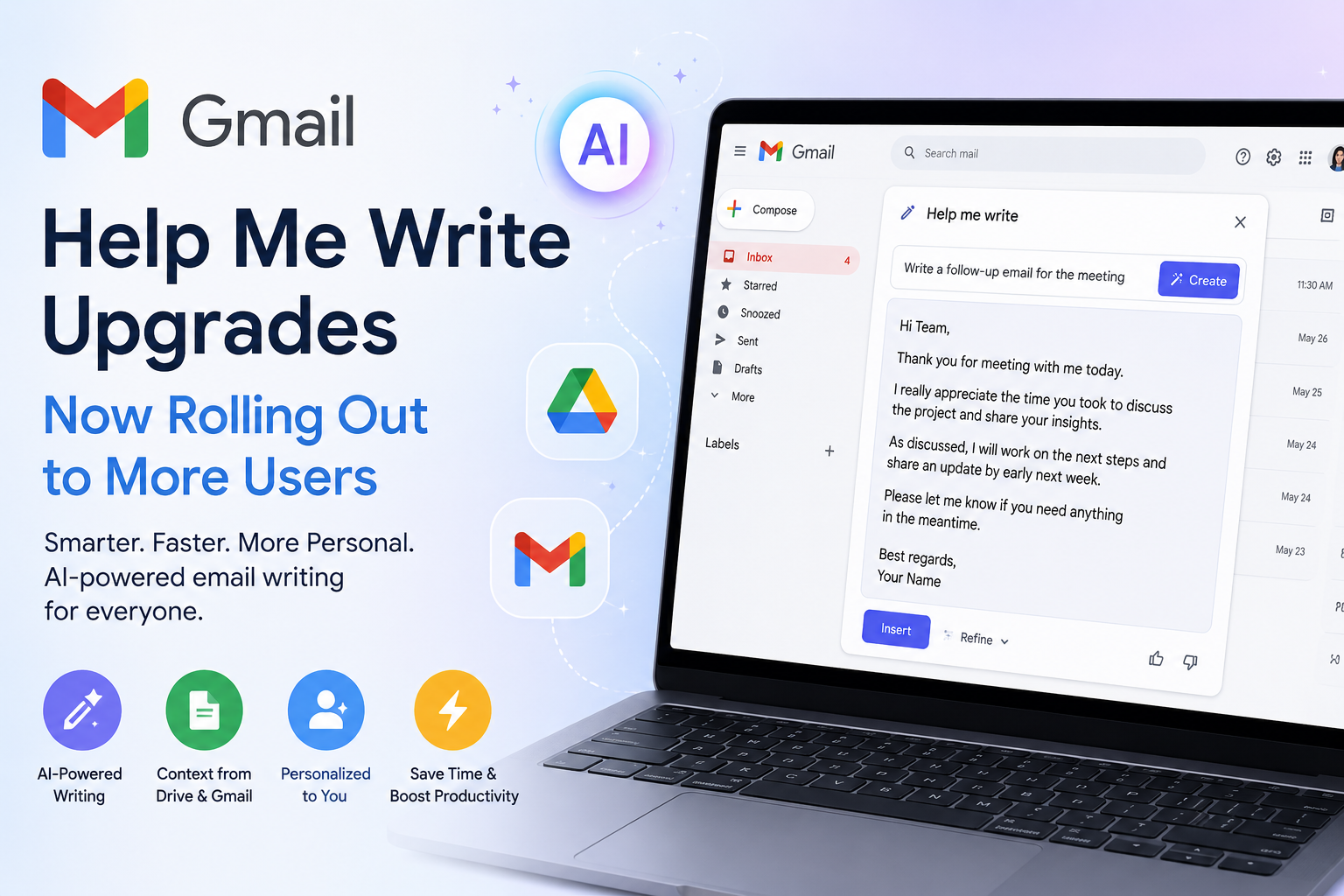

Email has been part of daily life for decades. From office communication to college applications, business deals, invoices, newsletters, and personal conversations, Gmail remains one of the most widely used communication platforms in the world. But over the last few years, something big has started to change — the new Gmail AI writing feature is becoming deeply integrated into email writing, transforming how people create and manage emails every day.
Google is now pushing Gmail far beyond basic spell-check and autocomplete. The company recently expanded the rollout of its upgraded “Help me write” feature, giving more users access to smarter AI-powered writing tools inside Gmail. These upgrades are designed to save time, improve communication, and make email drafting feel more natural and personalised.
What makes this update especially important is that Gmail’s AI no longer works like a simple text generator. Instead, it can now understand context from your previous emails, adapt to your writing style, and even pull information from your Google Drive or inbox when drafting responses.
This marks a major shift in how email platforms work.
Instead of users manually typing every message from scratch, Gmail is slowly evolving into an intelligent assistant that helps organise thoughts, structure messages, and reduce repetitive tasks. For businesses, professionals, students, creators, and remote teams, this could dramatically change everyday productivity.
In this article, we’ll explore everything about Gmail’s upgraded AI writing features, how they work, who can use them, what benefits they offer, potential privacy concerns, and why this rollout could represent the future of digital communication.
The Evolution of Gmail’s Smart Features
Gmail has experimented with AI-powered writing assistance for years. Many users already know features like the following:
- Smart Compose
- Smart Reply
- Grammar suggestions
- Predictive typing
- Automatic email categorization
These tools were useful but relatively simple. Most worked by predicting short phrases or suggesting quick one-line responses.
Google’s earlier Smart Compose system focused mainly on helping users type faster through predictive language generation. Research published by Google explained how large-scale language models were used to generate real-time writing suggestions in Gmail.
But the newest Gmail AI upgrades are much more advanced.
Instead of just predicting the next few words, Gmail can now:
- Understand the purpose of an email
- Match the user’s communication style
- Pull information from connected Google services
- Generate longer and more detailed drafts
- Rewrite emails in different tones
- Save users from manually searching for information
This changes Gmail from a basic email platform into a productivity-focused AI assistant.
What Is “Help Me Write” in Gmail?
“Help me write” is Google’s AI-powered email drafting feature integrated into Gmail. Users can provide a short instruction, and Gmail generates a full email draft automatically.
For example, users can type prompts like the following:
- “Write a meeting follow-up email”
- “Create a polite response to a client”
- “Draft a project update”
- “Write an apology email for delayed delivery”
The AI then creates a complete email draft that users can edit or send.
Google initially introduced the feature to limited groups of users, mostly premium subscribers and Workspace customers. Now, the upgraded version is rolling out more broadly to eligible users across multiple Workspace plans and Google One AI Premium subscriptions.
This wider rollout signals Google’s confidence in the technology and its intention to bring AI-powered writing into mainstream daily use.
The Biggest New Upgrade: Personalized Writing Style
One of the most interesting additions to Gmail’s AI system is tone and style personalisation.
According to Google, the AI can now study a user’s previously sent emails and learn how they typically communicate.
That means the AI may begin understanding the following:
- Whether you write formally or casually
- How long your emails usually are
- Your greeting style
- Common phrases you use
- Your professional tone
- Your communication habits
This creates a more personalised drafting experience.
Instead of producing generic robotic responses, Gmail attempts to generate emails that sound more like the user.
For example:
A corporate executive may receive polished professional drafts.
A startup founder may get more relaxed conversational messaging.
A teacher may receive friendly but structured email suggestions.
A marketer may get persuasive and energetic wording.
This personalisation is one of the biggest reasons Gmail’s AI system feels different from traditional autocomplete tools.
Gmail Can Now Pull Information From Google Drive
Another major feature added in the rollout is topic contextualisation.
This allows Gmail’s AI to access relevant information from Google Drive and Gmail itself when generating emails.
Imagine writing:
“Send the client last month’s budget numbers.”
Instead of forcing users to manually open documents, search folders, and copy information, Gmail’s AI can automatically identify relevant data from connected files and include it in the draft.
This may significantly reduce the need to constantly switch between apps and browser tabs.
For professionals handling large amounts of communication every day, this could become a huge productivity advantage.
Potential use cases include:
- Referencing presentations
- Adding sales reports
- Pulling invoice details
- Summarizing project documents
- Mentioning meeting notes
- Using previous conversation context
The AI becomes more than a writing assistant — it becomes a research assistant integrated directly into email.
Why Google Is Investing So Heavily in AI Email Features
The competition in AI is growing rapidly.
Companies across the tech industry are racing to integrate generative AI into productivity tools.
Microsoft has already added AI features to Outlook and Office through Copilot.
Startups are building AI email assistants.
AI-powered productivity apps are becoming more common.
Google clearly wants Gmail to remain dominant in the email space, especially as AI changes how people work online.
By deeply integrating Gemini-powered AI features into Gmail and Workspace, Google is creating a larger ecosystem that keeps users inside Google products.
The strategy is simple:
The more useful Gmail becomes, the more likely users are to rely on Google services for work, business, and communication.
This also supports Google’s broader AI ambitions connected to Gemini.
Reports and recent announcements suggest Google is increasingly positioning Gemini as the core intelligence layer across its ecosystem, including Search, Android, Workspace, and Gmail.
The Growing Role of Gemini AI in Gmail
Google’s Gemini AI system is becoming central to many Google products.
Gmail is now one of the biggest examples of this transition.
Recent reports indicate Google is building AI-powered inbox experiences that go far beyond standard email organisation.
Some of the upcoming AI-driven Gmail features reportedly include:
- AI-generated email summaries
- Natural language inbox search
- Priority-based AI inboxes
- Smart task highlighting
- Personalized content recommendations
- Automated organization systems
This means Gmail could eventually operate more like an intelligent digital assistant rather than a traditional inbox.
Instead of manually sorting emails, users may simply ask questions like:
- “What invoices are unpaid?”
- “Which meetings do I need to prepare for?”
- “Show emails related to last month’s project”
- “Summarize conversations with this client”
AI systems could then instantly provide answers.
This represents one of the biggest transformations email platforms have seen in years.
How AI Email Writing Helps Businesses
Businesses are among the biggest beneficiaries of Gmail’s new AI writing capabilities.
Modern workplaces rely heavily on email communication.
Employees spend enormous amounts of time:
- Writing responses
- Following up
- Scheduling meetings
- Sending updates
- Explaining projects
- Managing customer conversations
AI-generated drafting can reduce this workload significantly.
Some potential advantages include:
Faster Communication
Employees can respond to emails more quickly without writing every message manually.
Better Consistency
Companies can maintain more professional communication standards across teams.
Reduced Repetition
Frequently repeated emails can be generated instantly.
Improved Productivity
Workers spend less time typing and more time focusing on actual tasks.
Easier Collaboration
Context-aware AI can help summarise discussions and create clearer communication.
For startups and small businesses, this can be especially valuable because smaller teams often handle large communication volumes.
How Students and Creators Could Benefit
The impact of Gmail’s AI tools is not limited to corporate users.
Students, freelancers, creators, and independent professionals may also find these upgrades extremely useful.
Students can use AI assistance for:
- Academic emails
- Internship applications
- Project collaboration
- Communication with teachers
- Event coordination
Freelancers can benefit from:
- Client proposals
- Follow-up emails
- Project discussions
- Invoice reminders
- Collaboration messages
Content creators and influencers may use Gmail AI for the following:
- Brand partnership emails
- Sponsorship outreach
- Media communication
- Community management
- Collaboration requests
Because the AI adapts to writing style, it can help users maintain their personal communication identity while reducing effort.
The Risk of Overdependence on AI Writing
Despite the convenience, AI-powered communication also raises concerns.
One major issue is overdependence.
If users rely entirely on AI-generated communication, personal authenticity may slowly decrease.
Emails could begin sounding too polished, repetitive, or artificial.
This may become especially noticeable in the following:
- Personal conversations
- Emotional communication
- Creative writing
- Sensitive discussions
Another concern is that people may stop improving their own writing skills if AI handles most communication tasks automatically.
There is also the possibility of AI misunderstandings.
Even advanced AI systems can:
- Misinterpret context
- Generate incorrect details
- Produce awkward phrasing
- Create inaccurate summaries
That’s why human review remains essential.
AI can help draft emails, but users still need to verify accuracy before sending important messages.
Privacy Concerns Around AI-Powered Gmail Features
Whenever AI systems analyse emails and documents, privacy concerns naturally emerge.
Google states that Gmail’s upgraded AI features work within existing privacy protections.
However, many users still wonder:
- How much data is being analysed?
- Are personal emails being processed?
- How securely is information handled?
- Can sensitive content be exposed accidentally?
These concerns become even more important when AI accesses connected services like Google Drive and Gmail conversations.
Businesses dealing with confidential information may be cautious about allowing AI systems to process internal communication.
Privacy discussions around AI tools will likely continue growing as companies expand personalisation features.
Users should always review permissions and understand how AI systems interact with their data.
AI Email Tools Could Change Workplace Expectations
As AI-generated communication becomes more common, workplace culture may also change.
In the future, companies might expect employees to respond faster because AI tools reduce writing time.
This could create new productivity pressures.
Some professionals may also worry about originality.
If everyone uses AI-generated email assistance, communication could become increasingly similar across industries.
There may even be situations where the following occur:
- AI writes an email
- Another AI summarizes it
- A third AI prioritizes it
Human involvement could decrease significantly.
This raises interesting questions about the future role of human communication in digital workspaces.
Gmail’s AI Upgrades Reflect a Bigger Industry Shift
The Gmail rollout is part of a larger trend happening across the technology industry.
AI is rapidly becoming integrated into:
- Search engines
- Smartphones
- Messaging apps
- Productivity software
- Customer service systems
- Operating systems
Google’s ecosystem is increasingly AI-focused, especially with Gemini integration expanding across products and Android experiences.
The goal appears clear:
Google wants AI to become a central layer connecting all user interactions.
Instead of separate apps functioning independently, AI systems will increasingly connect information across platforms.
For users, this may create more seamless experiences.
For the tech industry, it signals a major transition toward AI-first computing.
Will AI Replace Human Email Writing?
Probably not completely.
Even though AI writing systems are becoming more advanced, human communication still matters.
People value:
- Authenticity
- Emotion
- Creativity
- Personality
- Human judgment
AI is strongest when assisting rather than replacing.
The most effective use of Gmail’s AI tools will likely involve collaboration between humans and AI systems.
Users can:
- Generate first drafts quickly
- Edit messages personally
- Add emotional context
- Verify information
- Improve clarity
This combination may become the standard workflow for modern communication.
The Future of Gmail and AI Communication
The current rollout is likely only the beginning.
Future Gmail AI systems could include the following:
- Voice-generated emails
- Real-time translation
- Smart scheduling
- Automatic prioritization
- AI-powered workflow management
- Advanced meeting preparation
- Intelligent reminders
- Personalized productivity dashboards
As Gemini continues evolving, Gmail may eventually become a complete communication management platform instead of just an inbox.
Google is clearly betting that AI-powered productivity tools will shape the future of work.
And based on the rapid pace of development, that future may arrive sooner than many expected.
Read Also: Why Browser-Based Apps Are Making PCs Faster and Smarter in 2026
Why Browser Based Apps Are Making PCs Faster and Smarter in 2026
Final Thoughts
Gmail’s upgraded The “Help me write” rollout represents a major step forward in AI-assisted communication.
What started as simple predictive typing has evolved into a far more intelligent system capable of understanding context, adapting to writing style, and pulling information from connected Google services.
For businesses, professionals, students, and creators, these tools could dramatically improve productivity and reduce repetitive work.
At the same time, concerns about privacy, authenticity, and overreliance on AI remain important discussions that users should not ignore.
The broader message is clear:
AI is no longer just an experimental feature inside productivity apps.
It is becoming the foundation of how modern digital communication works.
And Gmail is quickly becoming one of the clearest examples of that transformation.





