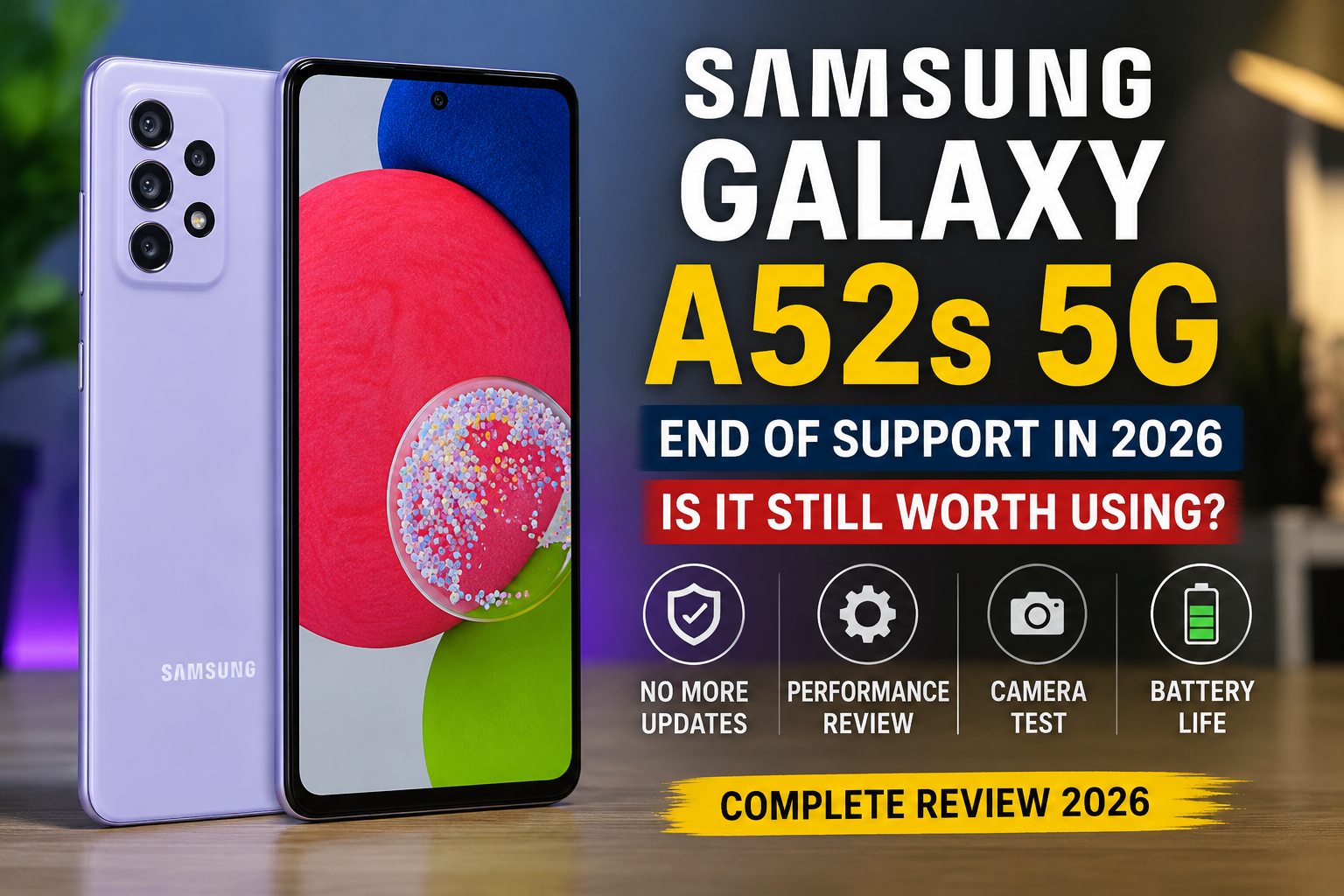

Samsung Galaxy A52s 5G in 2026: Is It Still Worth Using After Software Support Ends?
The Samsung Galaxy A52s 5G earned a reputation as one of Samsung’s best mid-range smartphones thanks to its balanced combination of performance, display quality, camera capabilities, and long-term software support. Even years after its release, many people continue to use it as their daily driver, while others are considering buying a refurbished unit because of its affordable price.
However, a major milestone has changed the conversation surrounding this popular device. Samsung has officially concluded software support for the Galaxy A52s 5G, leaving many owners wondering what happens next. Is the phone still safe to use? Will apps continue working? Should you upgrade immediately, or can you comfortably keep using it for another year or two?
If you’ve searched for answers online, you’ve probably found short news updates announcing the end of Samsung’s update program. While those reports explain the news, they often don’t answer the practical questions that matter to everyday users.
This comprehensive guide goes beyond the headlines. Instead of simply reporting that software support has ended, we’ll explain what that actually means in real-world usage, evaluate whether the Galaxy A52s 5G still delivers a good experience in 2026, compare it with newer Samsung devices, and help you decide whether keeping or replacing your phone makes the most sense.
Whether you’re a current owner, someone shopping for a budget Samsung phone, or simply curious about Samsung’s software support policies, this guide covers everything you need to know.
Samsung Galaxy A52s 5G at a Glance
Released as an upgraded version of the Galaxy A52, the Galaxy A52s 5G quickly became one of Samsung’s most highly recommended mid-range smartphones. Instead of making cosmetic changes, Samsung improved the device where it mattered most by introducing a significantly faster processor while keeping many of the popular features users already loved.
Some highlights that helped the Galaxy A52s 5G stand out include:
- Premium 120Hz Super AMOLED display
- Qualcomm Snapdragon 778G processor
- Optical Image Stabilization (OIS) camera
- IP67 water and dust resistance
- Stereo speakers
- Expandable storage
- 5G connectivity
- Reliable battery life
- Samsung Knox security
- Several years of Android and security updates
Even today, these features remain competitive for many users.
Samsung Galaxy A52s 5G Specifications
| Feature | Details |
|---|---|
| Display | 6.5-inch Super AMOLED |
| Resolution | 2400 × 1080 (FHD+) |
| Refresh Rate | 120Hz |
| Processor | Qualcomm Snapdragon 778G |
| RAM | 6GB / 8GB |
| Storage | 128GB / 256GB |
| Expandable Storage | Yes (microSD) |
| Rear Cameras | 64MP + 12MP + 5MP + 5MP |
| Front Camera | 32MP |
| Battery | 4,500mAh |
| Charging | 25W Fast Charging |
| Operating System at Launch | Android 11 |
| Latest Official Software | Android 14 with One UI |
| Connectivity | 5G, Wi-Fi 6, Bluetooth 5.0 |
| Water Resistance | IP67 |
| Fingerprint Scanner | Under-display Optical |
Even though several newer Galaxy A-series phones have launched since then, these specifications continue to provide a capable smartphone experience for many users.
Why the Galaxy A52s 5G Became So Popular
Not every smartphone enjoys long-lasting popularity after its launch, but the Galaxy A52s 5G became something of a fan favourite.
Several factors contributed to its success.
Excellent Value
Samsung positioned the phone in the upper mid-range category, offering premium features without the flagship price tag. Buyers received smooth performance, a vibrant display, capable cameras, and premium build quality for considerably less than Samsung’s Galaxy S series.
Snapdragon Instead of Exynos
One of the biggest reasons enthusiasts appreciated this phone was its Qualcomm Snapdragon 778G processor.
Compared to many Samsung mid-range devices powered by Exynos chips at the time, the Snapdragon 778G offered:
- Better gaming performance
- Improved thermal management
- Faster graphics processing
- More stable frame rates
- Excellent power efficiency
This made the phone appealing not only to casual users but also to mobile gamers and power users.
Premium Display Experience
Samsung has long been known for producing some of the best smartphone displays, and the Galaxy A52s 5G benefited from that expertise.
The display offers:
- Rich colors
- Deep blacks
- Excellent brightness
- Smooth scrolling
- Responsive touch controls
Even compared with many newer budget smartphones, the display continues to impress.
Reliable Cameras
While camera technology has evolved, the Galaxy A52s remains capable of capturing:
- Detailed daylight photos
- Balanced HDR images
- Good portrait shots
- Stable videos
- Useful ultra-wide photography
Its optical image stabilisation still helps reduce blur during handheld photography.
Samsung’s Software Update Policy Explained
One of Samsung’s biggest strengths over the past several years has been its commitment to long-term software support.
Unlike many Android manufacturers that provided only a couple of years of updates, Samsung significantly expanded its update policy for Galaxy devices.
Typically, Samsung offers:
- Android operating system upgrades
- One UI feature updates
- Monthly or quarterly security patches
- Bug fixes
- Performance improvements
The exact support period varies depending on the device generation.
Newer flagship devices now receive much longer support periods than earlier Galaxy A-series phones.
Why Software Updates Matter
Many smartphone owners think updates only add new features.
In reality, software updates serve several critical purposes.
Security Protection
Hackers constantly discover new vulnerabilities in operating systems.
Security updates:
- Patch known weaknesses
- Protect personal data
- Reduce malware risks
- Improve online safety
Without these updates, newly discovered vulnerabilities may remain unpatched.
Performance Improvements
Updates often optimise:
- Memory management
- Battery efficiency
- System responsiveness
- App compatibility
Even if no new features are introduced, background improvements can noticeably enhance the user experience.
Bug Fixes
Software isn’t perfect.
Updates frequently resolve issues such as the following:
- Camera bugs
- Bluetooth problems
- Wi-Fi instability
- App crashes
- Random restarts
- Battery drain
Compatibility
Applications continue evolving.
Software updates help ensure that phones remain compatible with:
- Banking apps
- Streaming services
- Messaging platforms
- Productivity apps
- Security services
Without ongoing support, compatibility may gradually become more limited over time.
What Does “End of Software Support” Actually Mean?
This is where many people become confused.
Ending software support does not mean your phone suddenly stops working.
Instead, it means Samsung is no longer expected to provide regular updates for the device.
That includes:
- No scheduled Android version upgrades
- No routine security patches
- No planned feature updates
- No regular bug-fix releases
The phone itself continues functioning exactly as it did before.
You can still:
- Make phone calls
- Send messages
- Browse the internet
- Watch YouTube
- Use social media
- Take photos
- Install apps (as long as they’re compatible)
- Stream movies
- Play games
For many users, daily operation may remain unchanged immediately after support ends.
Does Samsung Ever Release Updates After Support Ends?
In rare situations, yes.
If an especially severe security vulnerability affects older devices, manufacturers sometimes issue emergency patches even after the official support period has ended.
However, these releases are exceptions rather than the rule.
Users should not expect regular maintenance once a device reaches the end of its scheduled update lifecycle.
Should Current Galaxy A52s 5G Owners Be Worried?
Not necessarily.
The answer depends on how you use your smartphone.
For example:
Casual Users
If you mainly use your phone for:
- Calling
- Text messaging
- YouTube
- Netflix
- Spotify
The Galaxy A52s 5G can still provide a smooth experience.
Business Users
If your phone stores:
- Sensitive company information
- Client records
- Confidential documents
- Financial data
Security becomes much more important after software support ends.
Businesses often recommend using devices that continue receiving security updates.
Banking Users
Most banking applications will continue working for quite some time.
However, banks occasionally update their minimum security requirements.
Eventually, some apps may stop supporting older devices that no longer receive security patches.
Mobile Gamers
The Snapdragon 778G remains a capable gaming chipset.
Many popular games continue running well, although newer, more demanding titles may require lower graphics settings over time.
Common Misconceptions About End of Support
There are several myths surrounding software support.
Myth 1: The Phone Stops Working
False.
Your phone continues operating normally.
Myth 2: All Apps Immediately Stop Working
False.
Most applications continue functioning for years.
Only over time might some developers discontinue support.
Myth 3: The Battery Suddenly Gets Worse
False.
Battery ageing is related to charging cycles and overall wear—not software support ending.
Myth 4: The Phone Becomes Unsafe Overnight
Not exactly.
Security risks generally increase gradually because newly discovered vulnerabilities may no longer receive patches. For many users, there is no immediate change the day support ends, but the long-term security outlook becomes less favorable.
Who Should Continue Reading This Guide?
This article is designed for:
- Current Galaxy A52s 5G owners
- People considering buying a refurbished Galaxy A52s
- Budget-conscious smartphone shoppers
- Android enthusiasts
- Samsung fans
- Users comparing older Galaxy devices with newer models
- Anyone trying to understand what the end of software support means in practical terms
In the following sections, we’ll take a closer look at how the Galaxy A52s 5G performs in 2026, covering real-world speed, gaming, camera quality, battery life, security considerations, and whether upgrading to a newer Galaxy phone is truly worthwhile.
Performance in 2026: Can the Galaxy A52s 5G Still Keep Up?
One of the biggest reasons the Samsung Galaxy A52s 5G continues to have a loyal following is its processor. While many mid-range phones from its era have started to show their age, the Snapdragon 778G remains surprisingly capable for everyday use.
For most users, the phone still feels responsive when handling common tasks like web browsing, social media, streaming, and messaging. The combination of a well-optimised chipset and Samsung’s polished One UI interface helps maintain a smooth experience, even several years after launch.
That said, newer smartphones naturally offer more processing power, improved AI capabilities, and better energy efficiency. If you’re coming from a flagship released in 2025 or 2026, you’ll notice the difference. But if you’re simply using the Galaxy A52s for daily tasks, it still delivers a dependable experience.
Everyday Performance
Most smartphone owners spend their time doing routine activities rather than pushing hardware to its limits. For these everyday tasks, the Galaxy A52s 5G remains more than capable.
It handles activities such as the following:
- Checking email
- Browsing websites
- Streaming YouTube videos
- Watching Netflix and Disney+
- Using Google Maps
- Video calling
- Online shopping
- Social media apps
- Digital payments
- Document editing
App launches remain reasonably quick, and multitasking is generally smooth, especially on the 8GB RAM variant.
If you regularly switch between multiple apps, you’ll appreciate how well Samsung’s memory management keeps commonly used applications available in the background.
Multitasking Experience
Modern smartphones are expected to juggle multiple apps simultaneously, and the Galaxy A52s performs well in this area.
Typical multitasking scenarios include the following:
- Watching YouTube while replying to messages
- Using split-screen mode
- Switching between Chrome and Microsoft Office
- Editing photos while uploading files
- Navigating with Google Maps while streaming music
The Snapdragon 778G handles these situations with minimal slowdown.
Users with the 8GB RAM model generally enjoy a slightly smoother experience than those using the 6GB version, particularly when many apps remain open.
App Compatibility in 2026
A common concern after software support ends is whether apps will stop working.
The good news is that most popular applications continue supporting devices running recent Android versions for several years.
Examples include:
- Gmail
- Google Chrome
- TikTok
- Spotify
- Netflix
- Microsoft Teams
- Zoom
- Amazon Shopping
- Uber
As long as developers continue supporting the Android version installed on your device, these apps should continue functioning normally.
However, compatibility isn’t guaranteed forever. Over time, some developers may require newer Android versions or newer security standards.
Gaming Performance
Gaming remains one of the Galaxy A52s’ strongest areas compared to many older mid-range devices.
The Snapdragon 778G includes a capable graphics processor that still handles numerous popular games with ease.
Popular games that generally perform well include:
- PUBG Mobile
- Call of Duty: Mobile
- Mobile Legends
- Clash Royale
- Clash of Clans
- Brawl Stars
- Asphalt 9
- EA SPORTS FC Mobile
For more demanding games such as Genshin Impact or Wuthering Waves, you’ll likely need to reduce graphics settings to maintain smoother frame rates.
Long gaming sessions may also generate noticeable heat, although the phone manages temperatures reasonably well compared to many competitors from its generation.
Display Quality Still Impresses
Even after several years, the Galaxy A52s continues to offer one of the better displays in the mid-range segment.
Its 6.5-inch Super AMOLED panel provides the following:
- Rich colors
- Excellent contrast
- Deep blacks
- Wide viewing angles
- Strong outdoor visibility
- Smooth animations
The 120Hz refresh rate is particularly noticeable when:
- Scrolling social media feeds
- Browsing websites
- Navigating menus
- Playing supported games
Compared with many entry-level smartphones released today, the display still feels premium.
Outdoor Visibility
Brightness plays a major role in day-to-day usability.
The Galaxy A52s performs well outdoors under most lighting conditions, making it comfortable to
- Read messages
- Navigate using maps
- Capture photos
- Watch videos
Direct sunlight can still be challenging, but overall visibility remains competitive.
Camera Performance in 2026
Smartphone cameras have advanced considerably since the Galaxy A52s launched, but that doesn’t mean its cameras have become unusable.
In fact, they continue producing respectable results for everyday photography.
Main Camera
The 64MP primary camera remains the standout performer.
It captures:
- Sharp landscapes
- Detailed portraits
- Natural colors
- Balanced exposure
- Reliable HDR in many situations
Photos taken during daylight still look impressive enough for social media sharing or personal memories.
Ultra-Wide Camera
The ultra-wide lens is useful for:
- Travel photography
- Group photos
- Architecture
- Landscapes
- Indoor spaces
Image quality isn’t quite as detailed as the primary camera, but it remains practical when you need a wider perspective.
Macro Camera
Like many smartphones from its era, the dedicated macro camera is more of a bonus feature than a primary selling point.
It can capture close-up shots of flowers, textures, and small objects, though results vary depending on lighting and focus.
Depth Camera
The depth sensor assists portrait mode by helping separate subjects from the background.
Portrait photos generally feature:
- Good edge detection
- Pleasant background blur
- Natural skin tones
Results improve significantly in bright environments.
Front Camera
The 32MP selfie camera continues to perform well for the following:
- Video calls
- Selfies
- Social media content
- Online meetings
Skin tones generally appear natural, and facial detail remains respectable.
Video Recording
The Galaxy A52s supports several video recording options that still satisfy casual creators.
It’s suitable for:
- Family videos
- Travel clips
- School projects
- YouTube beginners
- Instagram Reels
- TikTok videos
Optical image stabilisation helps reduce shakiness during handheld recording, producing steadier footage than many similarly priced phones from its generation.
Battery Life
Battery performance naturally changes as smartphones age.
A brand-new Galaxy A52s offered dependable all-day battery life for many users.
In 2026, battery performance depends largely on:
- Charging habits
- Battery health
- Usage patterns
- Device age
- Temperature exposure
If your phone is still using its original battery after several years, reduced endurance is completely normal.
Typical Battery Usage
A healthy battery can generally handle the following:
- Moderate web browsing
- Social media
- Music streaming
- Video playback
- Messaging
- Occasional gaming
Heavy users may still need to recharge before the end of the day, especially if the battery has experienced years of wear.
Battery Replacement
One advantage of keeping an older smartphone is that replacing the battery is often much less expensive than purchasing a brand-new device.
If everything else still meets your needs, replacing an ageing battery can significantly extend the phone’s useful life.
Signs that a replacement may be worthwhile include:
- Rapid battery drain
- Unexpected shutdowns
- Slow charging
- Battery overheating
- Noticeably shorter screen-on time
Charging Experience
The Galaxy A52s supports 25W fast charging.
While charging speeds are no longer among the fastest available, they remain adequate for most users.
Newer flagship phones may charge considerably faster, but overnight charging or short top-ups still fit comfortably into most routines.
Storage and Expandability
One feature becoming increasingly rare is expandable storage.
The Galaxy A52s allows users to increase storage capacity with a microSD card, making it appealing for people who store the following:
- Photos
- Videos
- Music libraries
- Offline movies
- Documents
For users who don’t rely entirely on cloud storage, this remains a valuable advantage.
Audio Quality
Samsung equipped the Galaxy A52s with stereo speakers, providing a more immersive listening experience than single-speaker devices.
The speakers work well for:
- Movies
- Podcasts
- Video calls
- Casual gaming
- Music playback
While dedicated Bluetooth speakers or headphones still offer better sound quality, the built-in speakers remain perfectly suitable for everyday use.
Build Quality
Despite being positioned as a mid-range phone, the Galaxy A52s feels solid and well-constructed.
Key design strengths include:
- Comfortable grip
- Durable frame
- Matte rear finish
- Modern appearance
- Balanced weight
The design has aged gracefully and doesn’t feel outdated compared to many contemporary devices.
Water and Dust Resistance
The IP67 rating continues to be an important advantage.
It helps protect the phone against:
- Rain
- Dust
- Accidental splashes
- Brief exposure to fresh water
Although this doesn’t make the phone waterproof in every situation, it provides extra peace of mind during everyday use.
Fingerprint Sensor and Face Unlock
The under-display fingerprint scanner remains convenient for quickly unlocking the phone.
Face unlock is also available, offering an additional option for users who prioritise speed and convenience.
While newer flagship devices often feature faster biometric systems, the Galaxy A52s still performs reliably in daily use.
Connectivity
Even in 2026, the Galaxy A52s includes connectivity features that remain highly relevant.
These include:
- 5G support
- Wi-Fi
- Bluetooth
- NFC (market dependent)
- GPS
- USB-C
For most users, there’s little reason to feel limited by its connectivity options.
Security Considerations After Support Ends
The biggest downside of owning a device that no longer receives official software updates isn’t performance—it’s security.
Without ongoing security patches:
- Newly discovered vulnerabilities may remain unpatched.
- Future exploits could pose greater risks over time.
- Sensitive information may have less protection than on actively supported devices.
This doesn’t mean the phone instantly becomes unsafe, but the security gap can widen as months and years pass.
Tips for Staying Safer
If you plan to continue using the Galaxy A52s, consider these best practices:
- Install apps only from trusted sources.
- Keep all apps updated through the Google Play Store.
- Avoid downloading unknown APK files.
- Use strong passwords or passkeys.
- Enable biometric authentication.
- Turn on two-factor authentication for important accounts.
- Review app permissions regularly.
- Back up important files to the cloud or an external drive.
These habits won’t replace security patches, but they can reduce everyday risks.
Should You Keep Using the Galaxy A52s 5G?
For many people, the answer is yes—at least for now.
You can likely continue using the phone comfortably if:
- It meets your performance needs.
- The battery is still in good condition.
- You don’t require the latest Android features.
- You follow good digital security practices.
- Your most important apps continue to support your Android version.
However, if you rely heavily on your smartphone for sensitive financial transactions or business data or simply want the latest security protections and features, it may be time to start considering an upgrade.