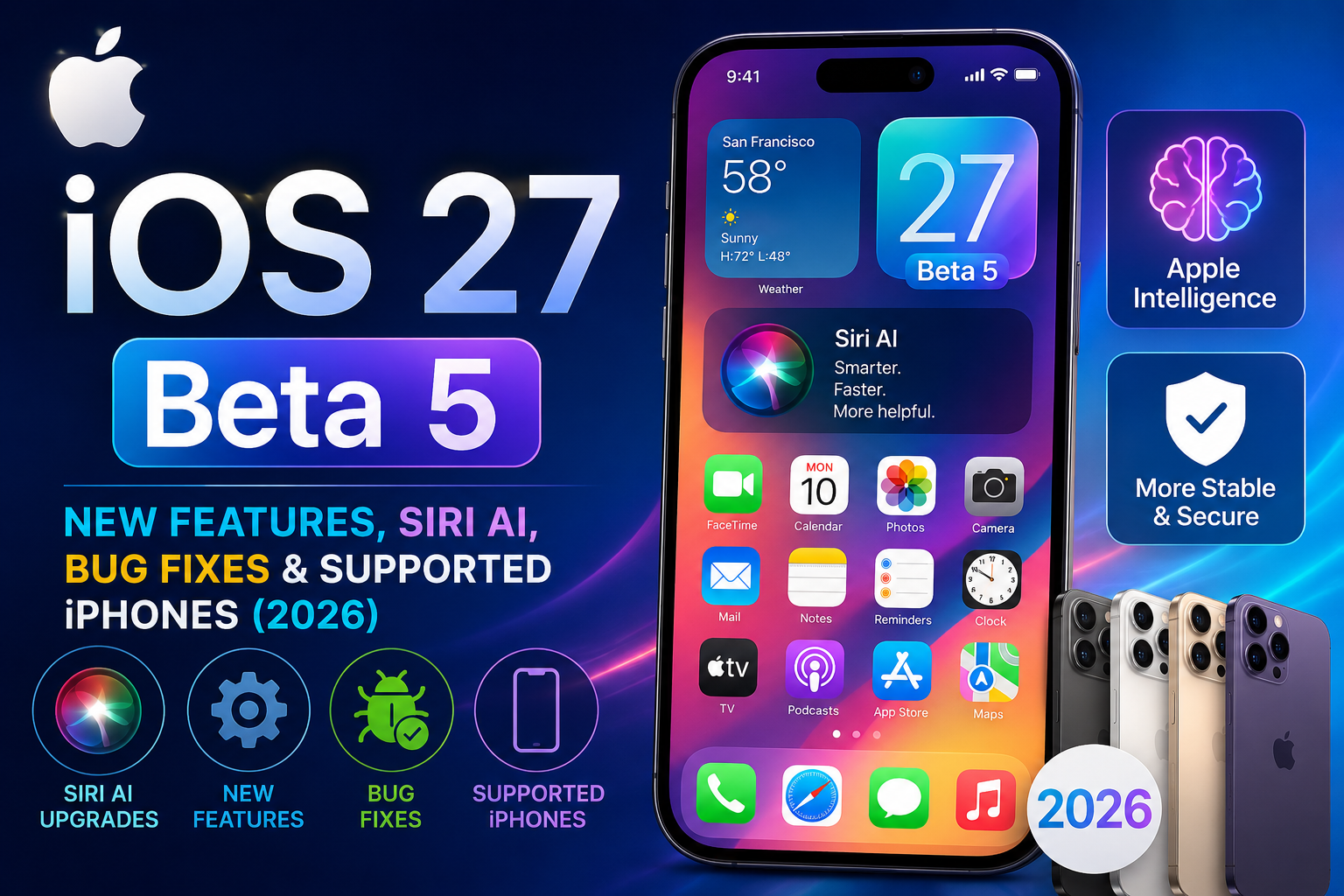

iOS 27 Beta 5: Everything You Need to Know About Apple’s Latest Beta Update
Apple’s iOS 27 beta cycle has been one of the most closely watched software testing programs in recent years. While every beta release brings refinements, iOS 27 Beta 5 stands out because it continues Apple’s shift toward a more intelligent, AI-powered iPhone experience.
Rather than focusing solely on visual redesigns or minor bug fixes, Apple is refining the foundation of iOS 27. The latest beta emphasizes smarter interactions, improved stability, better battery management, enhanced Apple Intelligence capabilities, and a more capable Siri experience. These improvements are designed to prepare the operating system for its public release later this year.
Whether you’re a developer, beta tester, or simply curious about Apple’s newest software, this guide explains everything you need to know about iOS 27 Beta 5, including its most important improvements, AI features, and what users can realistically expect.
What Is iOS 27 Beta 5?
iOS 27 Beta 5 is Apple’s fifth developer preview of iOS 27. Instead of introducing dozens of brand-new features, this update focuses on polishing the operating system before the release candidate stage.
Apple typically follows this pattern during beta development:
| Beta Stage | Primary Goal |
|---|---|
| Beta 1 | Introduce major new features |
| Beta 2 | Fix early issues and improve compatibility |
| Beta 3 | Optimize performance |
| Beta 4 | Refine user experience |
| Beta 5 | Stability, polish, AI improvements, bug fixes |
That means users shouldn’t expect a complete redesign in Beta 5. Instead, they’ll notice smoother animations, fewer crashes, more reliable Apple Intelligence features, and continued improvements to Siri AI.
Why iOS 27 Is a Bigger Update Than Previous Versions
For years, Siri struggled to compete with newer AI assistants. Apple has now responded by redesigning the assistant around Apple Intelligence, making Siri far more conversational and context-aware. The company says the new Siri can better understand personal context, interact across apps, recognize on-screen content, and answer a wider range of questions while maintaining Apple’s privacy-first approach.
Instead of simply answering commands like
“Set an alarm.”
Users can now have longer conversations, such as
“Remind me about the restaurant Sarah texted me last week, then create a reminder for tomorrow evening.”
The system understands context far better than previous Siri versions.
This AI-first direction is one of the biggest reasons people are paying attention to iOS 27 Beta 5.
What’s New in iOS 27 Beta 5?
Although Apple hasn’t dramatically changed the interface in Beta 5, several areas have improved.
1. Better Overall Stability
Compared to earlier beta releases, users generally report:
- Faster app launching
- Improved multitasking
- Reduced freezing
- Better memory management
- Fewer random restarts
- Improved animation consistency
Apple traditionally spends later beta versions improving reliability instead of adding flashy features.
2. Siri AI Continues to Improve
The biggest focus remains Apple’s redesigned Siri.
The assistant is becoming more conversational and much better at understanding natural language.
Examples include:
- Remembering previous questions
- Understanding follow-up requests
- Searching messages more intelligently
- Finding photos based on conversations
- Working across multiple Apple apps
- Answering web-based questions
Apple says Siri AI combines broad world knowledge with personal context while also understanding what’s currently on the screen to help complete tasks across apps.
3. Faster Apple Intelligence Processing
Apple Intelligence continues improving in Beta 5.
Users may notice quicker responses when using:
- Writing tools
- Smart summaries
- AI editing
- Intelligent search
- Visual Intelligence
- Contextual recommendations
Most processing remains optimized for supported Apple Silicon devices.
Siri AI Is Becoming the Center of iOS 27
One of the biggest stories surrounding iOS 27 isn’t actually the operating system itself.
It’s Siri.
For years, users compared Siri unfavorably with competing AI assistants.
Apple has now rebuilt much of the experience.
The new Siri AI introduces capabilities such as the following:
Personal Context
Instead of treating every question independently, Siri can reference previous interactions and information you’ve chosen to make available.
For example:
- Find a hotel confirmation from an email.
- Locate a restaurant a friend mentioned in Messages.
- Surface photos from a recent vacation.
- Help draft emails using information already on your device.
Apple says this context is used while maintaining its privacy model.
On-Screen Awareness
Another major upgrade is on-screen awareness.
If you’re viewing:
- an email,
- a calendar event,
- a photo,
- or a webpage,
Siri can understand the current context and respond accordingly.
Example:
You’re reading an invitation.
You can simply ask:
“Add this to my calendar.”
Without explaining what “this” refers to.
Cross-App Actions
Instead of opening one app at a time, Siri can perform actions across multiple apps.
Examples include:
- Create reminders from emails
- Share edited photos
- Draft messages
- Organize notes
- Build shopping lists
- Assist with workflows involving several apps
These cross-app capabilities represent one of the largest functional changes in Siri’s history.
Apple Intelligence Keeps Expanding
Apple Intelligence isn’t just about Siri.
Several built-in apps continue receiving AI-powered improvements.
Examples include:
Photos
Expected enhancements include:
- Smarter object removal
- Better reframing tools
- AI-assisted editing
- Easier photo organization
Safari
Browsing becomes more intelligent with features aimed at organizing tabs, summarizing information, and making it easier to manage content.
Notes
Writing becomes easier through:
- Smart rewriting
- Summaries
- Formatting assistance
- AI-generated suggestions
Apple Intelligence helps users:
- Rewrite emails
- Improve grammar
- Summarize long conversations
- Generate replies faster
User Interface Improvements
Unlike earlier iOS redesigns, Apple hasn’t dramatically changed the appearance of iOS 27 Beta 5.
Instead, users may notice subtle refinements, such as:
- smoother transitions,
- cleaner animations,
- more responsive controls,
- improved transparency options within the Liquid Glass design language,
- better readability throughout the interface.
These changes make the interface feel more polished without requiring users to relearn navigation.
Performance Improvements in iOS 27 Beta 5
Performance remains one of Beta 5’s biggest strengths.
Early testers generally report improvements in:
| Area | Improvement |
|---|---|
| App Launch Speed | Faster |
| Animation Smoothness | Better |
| Background Processes | More Efficient |
| RAM Management | Improved |
| System Responsiveness | Faster |
| UI Consistency | Improved |
Because this is still beta software, experiences can vary by device model and installed apps.
Who Can Use Apple Intelligence?
Not every iPhone supports Apple’s newest AI features.
According to Apple, Apple Intelligence and the new Siri AI require compatible hardware, including iPhone 16 models and later, as well as iPhone 15 Pro and iPhone 15 Pro Max for iOS 27 features.
Users on older supported iPhones can still install iOS 27, but some advanced AI capabilities won’t be available.
Why Beta 5 Matters More Than Earlier Betas
Earlier developer betas are usually about experimentation.
Beta 5 is different.
This stage helps developers:
- Optimize applications.
- Verify compatibility.
- Test performance.
- Fix remaining bugs.
- Prepare for the Release Candidate.
For users, it also offers a clearer preview of what the final public version of iOS 27 is likely to feel like.
Battery Life in iOS 27 Beta 5: Has It Improved?
Battery life is one of the first things users notice after installing a beta update. While early developer builds often consume more power because of background indexing, diagnostics, and optimization tasks, iOS 27 Beta 5 appears to be more efficient than several earlier beta releases.
That doesn’t mean every user will see dramatic improvements. Battery performance depends on factors such as the following:
- iPhone model
- Battery health
- Installed apps
- Background activity
- Display brightness
- Network conditions
- Whether Apple Intelligence features are actively being used
For many users, the first 24–48 hours after installing a beta can show higher battery drain while the system finishes indexing photos, messages, files, and other data. Once these tasks are complete, battery performance often becomes more consistent.
Factors That Can Affect Battery Performance
Some activities naturally consume more power during beta testing:
- AI-assisted writing tools
- Continuous Siri usage
- Location services
- High screen brightness
- Background app refresh
- Video editing
- Gaming
- Large photo library indexing
If battery life seems worse immediately after updating, giving the device a day or two to finish background optimization is usually worthwhile before drawing conclusions.
Performance Compared With Earlier Betas
Apple typically shifts its focus during later beta releases from adding new features to improving the overall experience.
Compared with the earliest iOS 27 developer previews, Beta 5 generally feels more polished in areas such as the following:
| Feature | Earlier Betas | Beta 5 |
|---|---|---|
| App Loading | Sometimes inconsistent | Faster and smoother |
| Animation Fluidity | Minor stutters | More refined |
| Memory Management | Occasional reloads | Better multitasking |
| System Stability | More crashes | Improved reliability |
| Background Tasks | Less optimized | Better efficiency |
Although beta software can still have issues, the operating system is gradually becoming closer to a release-ready product.
Hidden Features You May Not Notice Immediately
Some improvements don’t appear in Apple’s release notes but become noticeable during daily use.
Improved Search
Searching inside apps such as:
- Photos
- Notes
- Files
- Messages
feels faster and more accurate.
Search results may also better understand natural language instead of requiring exact keywords.
Smarter Notifications
Apple continues refining notification management.
Users may notice:
- Better grouping
- More relevant suggestions
- Reduced notification clutter
- Improved priority handling
The goal is to help users focus on important alerts without feeling overwhelmed.
Better Keyboard Predictions
Typing has become more natural.
Keyboard improvements include:
- Better autocorrect
- More accurate predictions
- Improved multilingual support
- Smarter sentence completion
- Fewer unwanted corrections
These refinements are especially helpful for users who write long emails or messages on their iPhone.
Improved Voice Recognition
Voice dictation continues improving with better punctuation and context awareness.
Instead of manually editing every sentence, users may find that dictated text requires fewer corrections than before.
Apple Intelligence Across Everyday Apps
Apple Intelligence is designed to make common tasks faster rather than forcing users to learn entirely new workflows.
Let’s look at some practical examples.
Messages
Messaging becomes more efficient through AI-assisted features such as the following:
- Draft suggestions
- Conversation summaries
- Smart reply recommendations
- Writing improvements
- Better context understanding
Instead of replacing your writing, Apple Intelligence aims to help refine it.
Long email threads can quickly become difficult to follow.
Apple Intelligence helps by:
- Summarizing conversations
- Highlighting important details
- Suggesting replies
- Improving grammar
- Rewriting drafts with different tones
These tools can save time without taking control away from the user.
Notes
The Notes app benefits from several productivity improvements.
Examples include:
- Organizing long notes
- Creating summaries
- Rewriting paragraphs
- Formatting text
- Identifying action items
Students, professionals, and researchers may find these features especially useful.
Photos
Apple continues investing in intelligent photo management.
Possible improvements include:
- Better object recognition
- Easier searching
- Improved editing suggestions
- Smarter organization
- AI-assisted cleanup
Finding specific memories becomes faster when the system understands the contents of your photo library more effectively.
Privacy Remains a Major Focus
One area where Apple continues differentiating itself is privacy.
Rather than sending every request to cloud servers, many Apple Intelligence features are designed to run directly on compatible devices.
This approach offers several benefits:
- Faster responses
- Reduced dependence on internet connectivity
- Improved privacy
- Greater user control
- Better protection for personal information
For tasks requiring larger AI models, Apple uses its Private Cloud Compute system, which is designed to process requests without creating long-term user profiles or storing personal requests. Apple says the system is built so that even Apple cannot access the contents of users’ requests. (apple.com)
Accessibility Improvements
Accessibility remains an important part of every major iOS update.
While individual features may vary throughout the beta cycle, Apple continues refining tools for users with different accessibility needs.
Examples include:
Voice Control
Improved recognition helps users navigate the interface more naturally.
Live Captions
Speech recognition continues becoming more accurate for supported languages.
Magnifier
Camera-based assistance remains useful for reading printed materials and identifying objects.
Assistive Touch
Navigation improvements help users interact with the device using customized gestures.
Security Improvements
Every beta release typically includes security enhancements alongside visible features.
Although many security fixes remain undocumented until public release, Apple routinely addresses the following:
- System vulnerabilities
- App permission handling
- Memory protection
- Network security
- Safari improvements
- Authentication reliability
Keeping devices updated helps users benefit from these ongoing protections.
Supported iPhones for iOS 27 Beta 5
Support can vary depending on the final release, but Apple has continued supporting many recent iPhone models while reserving Apple Intelligence for newer hardware.
General Compatibility
| iPhone Model | iOS 27 Support | Apple Intelligence Features |
|---|---|---|
| iPhone 17 Series | Yes | Yes |
| iPhone 16 Series | Yes | Yes |
| iPhone 15 Pro | Yes | Yes |
| iPhone 15 Pro Max | Yes | Yes |
| iPhone 15 | Yes | Limited |
| iPhone 15 Plus | Yes | Limited |
| Older Supported Models | Yes | Some AI features unavailable |
Always check Apple’s official compatibility list before installing beta software, as supported devices and feature availability can change during testing.
How to Install iOS 27 Beta 5
Installing beta software is easier than it was several years ago, but preparation is still important.
Step 1: Back Up Your iPhone
Before installing any beta version:
- Back up using iCloud or a computer.
- Verify the backup completed successfully.
- Ensure enough storage space is available.
Having a backup makes recovery much easier if something goes wrong.
Step 2: Join Apple’s Beta Program
Users need access through Apple’s Developer Program or, when available, the Apple Beta Software Program.
Make sure you’re signed in with the Apple account associated with your beta enrollment.
Step 3: Check for Updates
Go to:
Settings → General → Software Update
If beta updates are enabled for your Apple account, iOS 27 Beta 5 should appear when it’s available for your device.
Step 4: Install the Update
During installation:
- Keep your iPhone connected to Wi-Fi.
- Plug into a charger if the battery is low.
- Allow sufficient time for the installation to complete.
The first restart after updating may take longer than usual.
Should You Install iOS 27 Beta 5?
The answer depends on how you use your iPhone.
Beta Software May Be Suitable If You:
- Enjoy testing new features
- Develop iOS apps
- Report bugs
- Want early access
- Have a secondary device available
You May Want to Wait If You
- Depend on your iPhone for work
- Need maximum stability
- Use banking or enterprise apps that may not yet support the beta
- Prefer predictable battery life
- Don’t want to troubleshoot occasional issues
Public releases are generally a better choice for users who value stability over early access.
Common Issues That Can Still Appear
Even though Beta 5 is more polished, no beta is perfect.
Users may still encounter:
- Unexpected app crashes
- Increased battery usage
- Wireless connectivity issues
- Bluetooth pairing problems
- Widgets not updating
- Visual glitches
- Notification delays
- Occasional overheating during intensive tasks
Many of these issues are resolved as Apple releases newer beta versions and the final public update.
Tips for a Better Beta Experience
If you decide to install iOS 27 Beta 5, following a few best practices can make the experience smoother.
Keep Plenty of Free Storage
Low storage can slow down updates and affect performance.
Aim to keep several gigabytes free whenever possible.
Update Your Apps
Developers frequently release updates to improve compatibility with the latest iOS beta.
Visit the App Store regularly to install available updates.
Restart Occasionally
A simple restart can sometimes resolve temporary issues after major software updates.
Report Bugs
Apple encourages beta testers to use the Feedback app included with beta software.
Reporting bugs helps improve the final public release for everyone.
What’s Still Missing?
Although iOS 27 Beta 5 is a significant step forward, Apple continues refining some features before the final release.
Areas that may continue evolving include:
- Additional Siri capabilities
- Expanded Apple Intelligence support
- More third-party app integrations
- Performance optimizations
- Regional feature availability
- Language support for AI tools
Apple often saves certain enhancements for later beta versions or even post-launch software updates.
iOS 27 Beta 5 vs. iOS 27 Beta 4
One of the biggest questions users ask before installing a new beta update is whether it’s a meaningful upgrade over the previous version. While iOS 27 Beta 5 doesn’t introduce a complete redesign, it focuses on refinement, reliability, and preparing the operating system for its final public release.
Here’s a comparison of the two versions.
| Feature | iOS 27 Beta 4 | iOS 27 Beta 5 |
|---|---|---|
| Overall Stability | Good | Better |
| App Performance | Improved | More Consistent |
| Siri AI | Early refinements | More polished responses |
| Apple Intelligence | Stable | Faster and smoother |
| Animations | Mostly smooth | More fluid |
| Battery Optimization | Moderate | Better optimization |
| Bug Fixes | Several addressed | Additional fixes included |
| Developer Readiness | High | Near release-ready |
Although changes may appear subtle on paper, many users notice that the system feels smoother during everyday use.
Real-World Benefits of iOS 27 Beta 5
Software updates are more valuable when they improve daily experiences instead of simply adding new settings.
Here are a few practical ways users may benefit from iOS 27 Beta 5.
Faster Morning Routine
Instead of manually checking multiple apps, Siri can help summarize your day by referencing your calendar, reminders, and messages.
Examples include:
- Upcoming meetings
- Weather conditions
- Package deliveries
- Calendar events
- Reminder notifications
Improved Productivity
Students and professionals can save time through AI-assisted writing features.
Common tasks include:
- Rewriting emails
- Summarizing notes
- Organizing documents
- Drafting messages
- Reviewing long conversations
Easier Photo Management
Large photo libraries become easier to manage with smarter search capabilities.
Instead of scrolling through thousands of pictures, users can search using natural descriptions.
Examples:
- Beach vacation
- Birthday cake
- Red car
- Dog at the park
- Sunset over mountains
Better Communication
Messaging becomes more efficient thanks to writing assistance and improved suggestions.
Instead of replacing human communication, Apple Intelligence aims to reduce repetitive typing while preserving your personal writing style.
Tips Before Installing iOS 27 Beta 5
Even though Beta 5 is more stable than earlier releases, preparation is still important.
1. Create a Complete Backup
Always make a backup before installing beta software.
Recommended options include:
- iCloud Backup
- Finder (Mac)
- Apple Devices app (Windows)
Having a recent backup makes it much easier to recover your data if something unexpected happens.
2. Free Up Storage
Software updates require temporary working space.
If your iPhone is nearly full:
- Delete unused apps
- Remove duplicate photos
- Clear downloads
- Empty recently deleted albums
- Transfer large videos if necessary
Keeping adequate free space can help the installation process run more smoothly.
3. Update Important Apps
Developers frequently release compatibility updates during beta testing.
Updating apps before installing iOS 27 Beta 5 can reduce the chance of crashes or unexpected behavior.
4. Understand Beta Risks
Even polished beta software may contain the following:
- Random bugs
- Performance inconsistencies
- App compatibility issues
- Unexpected battery drain
- Temporary visual glitches
If your iPhone is essential for work, banking, or business, waiting for the public release may be the safer choice.
Common Questions About iOS 27 Beta 5
Is iOS 27 Beta 5 Stable Enough for Daily Use?
Many users find Beta 5 significantly more reliable than the earliest developer builds. However, it is still pre-release software, so occasional bugs and compatibility issues are possible.
Can I Downgrade After Installing?
Yes, but downgrading typically requires restoring your iPhone using a computer and a compatible backup created before installing the beta.
Without a suitable backup, some data may not be recoverable.
Will My Apps Work?
Most popular applications function normally.
However, some categories may experience temporary issues during beta testing, including:
- Banking apps
- Enterprise software
- VPN services
- Security tools
- Specialized business applications
Checking with the app developer for beta compatibility is a good idea.
Is Apple Intelligence Available on Every iPhone?
No.
Some Apple Intelligence features require newer hardware with the necessary on-device processing capabilities.
Older supported iPhones can still run iOS 27, but they may not receive every AI-powered feature.
Does Beta Software Affect Battery Health?
Using beta software does not permanently damage battery health by itself.
However, temporary increases in battery usage can occur because the system performs background indexing, diagnostics, and optimization after installation.
Can I Leave the Beta Program Later?
Yes.
Users can disable beta updates through the Software Update settings and return to the public release cycle after installing a stable public version.
Troubleshooting Common Problems
Even with a refined beta release, occasional issues can occur. Here are some simple troubleshooting steps.
Battery Draining Faster Than Expected
Try the following:
- Wait 24–48 hours after updating.
- Restart the iPhone.
- Disable Background App Refresh for unnecessary apps.
- Check battery settings to identify high-usage apps.
- Reduce screen brightness or enable auto-brightness.
- Update installed applications.
Apps Keep Crashing
Possible solutions include:
- Update the app.
- Restart your iPhone.
- Reinstall the affected app.
- Check if the developer has released a beta-compatible update.
- Report the issue using Apple’s Feedback app.
Wi-Fi or Bluetooth Problems
If connectivity issues appear:
- Toggle Wi-Fi or Bluetooth off and on.
- Forget and reconnect to the network.
- Restart your router if necessary.
- Reset network settings as a last resort.
Slow Performance
Performance often improves after background indexing completes.
You can also:
- Close unused apps.
- Restart the device.
- Ensure sufficient free storage.
- Install the latest beta update if a newer version becomes available.
Privacy and Security in iOS 27
Apple continues emphasizing user privacy as one of the defining characteristics of the iPhone.
Several principles remain central to iOS 27:
On-Device Processing
Whenever possible, Apple Intelligence processes requests directly on supported devices.
This approach can provide:
- Faster responses
- Reduced reliance on cloud servers
- Better protection of personal data
- Improved user control
Private Cloud Compute
For more demanding AI tasks, Apple uses Private Cloud Compute, which extends Apple’s privacy model to cloud-based processing. According to Apple, requests are processed without building user profiles, and independent experts can inspect the system’s security architecture. (apple.com)
App Permissions
iOS 27 continues to provide users with control over permissions such as the following:
- Camera
- Microphone
- Contacts
- Photos
- Location
- Bluetooth
- Local network access
Regularly reviewing these permissions helps maintain privacy.
What Developers Should Know
Developers play a major role during beta testing.
Beta 5 provides an opportunity to:
- Test app compatibility
- Optimize performance
- Identify crashes
- Verify Apple Intelligence integrations
- Ensure accessibility compliance
- Prepare for App Store updates before the public launch
Testing now can help reduce issues once iOS 27 becomes widely available.
Expert Tips for Beta Testers
If you’re participating in the beta program, these practices can improve your experience:
Keep Automatic Backups Enabled
This ensures your latest data is protected before future beta updates.
Monitor Storage Usage
Low storage can affect:
- Performance
- Installation speed
- App behavior
- System responsiveness
Read Release Notes
Apple often includes important information about known issues, resolved bugs, and developer guidance in each beta release.
Avoid Installing on Your Only Device
If possible, use a secondary iPhone for beta testing.
This minimizes disruption if unexpected issues occur.
Pros and Cons of iOS 27 Beta 5
| Pros | Cons |
|---|---|
| Early access to new features | Still beta software |
| Improved Siri AI | Occasional bugs remain |
| Better Apple Intelligence performance | Some apps may not be fully compatible |
| Smoother animations | Battery life can vary |
| Strong privacy focus | Features may change before release |
| Better overall stability | Not ideal for every primary device |
Who Should Install iOS 27 Beta 5?
Recommended For
- Developers
- Technology enthusiasts
- App testers
- Users with a secondary iPhone
- People who enjoy trying new software early
Better to Wait If
- You rely on your iPhone for work.
- You need maximum reliability.
- You use business-critical applications.
- You prefer a bug-free experience.
- You don’t want to troubleshoot software issues.
Frequently Asked Questions (FAQs)
What is iOS 27 Beta 5?
iOS 27 Beta 5 is Apple’s fifth developer beta release of iOS 27. It focuses on improving stability, performance, Siri AI, Apple Intelligence features, and overall user experience before the final public release.
What’s new in iOS 27 Beta 5?
Highlights include:
- Better system stability
- Improved Siri AI
- Faster Apple Intelligence features
- Smoother animations
- Bug fixes
- Performance optimizations
- Battery refinements
Is iOS 27 Beta 5 free?
Developer betas are available through Apple’s developer program, while public beta availability depends on Apple’s release schedule and the Apple Beta Software Program.
Which iPhones support Apple Intelligence?
Apple Intelligence features require compatible hardware, including supported newer iPhone models such as the iPhone 15 Pro, iPhone 15 Pro Max, and later compatible devices. Feature availability may vary by region and language.
Should I install iOS 27 Beta 5?
If you enjoy testing new features and understand the risks of beta software, it may be worth trying. If stability is your highest priority, waiting for the public release is generally the better option.
Is iOS 27 Beta 5 faster than Beta 4?
Many users report smoother performance, improved responsiveness, and better overall stability compared with Beta 4, although experiences can differ depending on the device and installed apps.
Can I go back to iOS 26?
Yes. Downgrading is possible, but it usually requires restoring your device using a compatible backup created before installing the beta.
Does Beta 5 fix earlier bugs?
Apple continues addressing issues throughout the beta cycle. Beta 5 includes numerous refinements and bug fixes, though some known issues may still remain until later updates.
Read More: Apple iOS 26.5 Update: Everything New in Apple’s Latest iPhone Software Release
Final Verdict
iOS 27 Beta 5 marks an important milestone in Apple’s journey toward the final iOS 27 release. Instead of introducing a long list of flashy additions, this update focuses on what matters most: stability, responsiveness, and refining the AI-powered experience that Apple has been building throughout the beta cycle.
For users with compatible hardware, Siri feels more capable, Apple Intelligence becomes more useful in everyday tasks, and the overall operating system delivers a smoother experience than many earlier beta versions. Improvements to multitasking, animations, battery optimization, and app performance make Beta 5 feel closer to a finished product, even though it remains pre-release software.
That said, beta software is still intended primarily for developers and enthusiasts who are comfortable encountering occasional bugs or compatibility issues. If your iPhone is your primary work device or you depend on absolute reliability, waiting for the official public release is still the safest choice.
Ultimately, iOS 27 Beta 5 demonstrates Apple’s continued focus on combining artificial intelligence with privacy-first design. Rather than chasing every AI trend, Apple is integrating intelligent features into familiar apps and workflows, aiming to make the iPhone more helpful without compromising user control. If the remaining beta updates continue this trajectory, the final release of iOS 27 is likely to offer one of Apple’s most polished and capable software experiences yet.