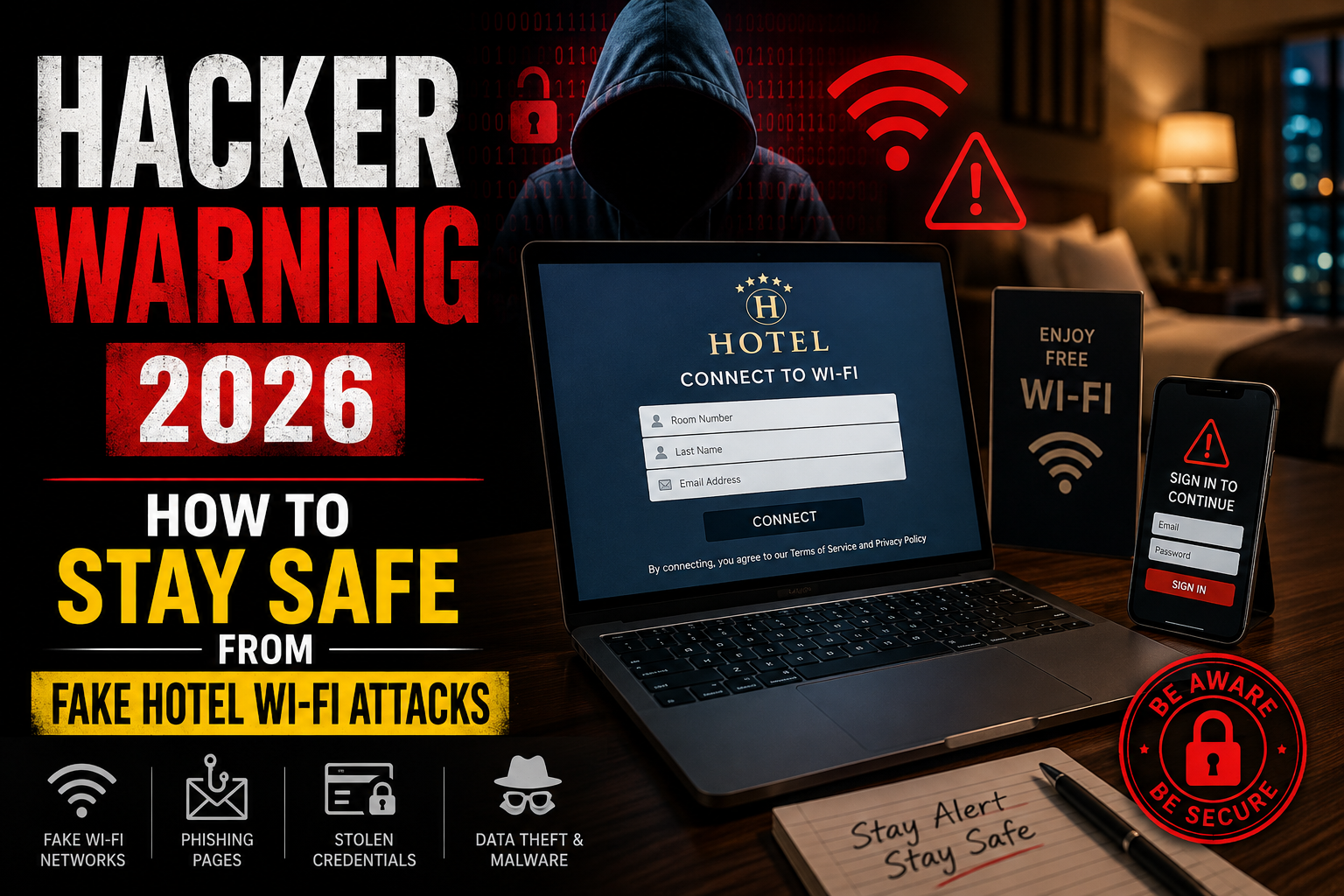

Hacker Warning 2026: How Fake Hotel Wi-Fi Networks Are Targeting Travelers Worldwide
hacker hotel Wi-Fi Whether you’re travelling for business, taking a family vacation, or attending an international conference, connecting to a hotel’s Wi-Fi network has become second nature. Most travellers expect free internet access as a standard amenity. Unfortunately, cybercriminals know this too—and they’re increasingly exploiting that trust.
In 2026, cybersecurity experts are warning about an evolving wave of attacks targeting travellers through fake hotel Wi-Fi networks. Instead of relying on traditional malware or obvious scam emails, attackers are creating convincing wireless networks and deceptive login portals that closely resemble legitimate hotel internet services. Unsuspecting guests may unknowingly hand over passwords, download malicious software, or expose sensitive business information within minutes of connecting.
Recent security research has highlighted organised cybercriminal groups using sophisticated phishing techniques and fake captive portals to steal credentials from hotel guests around the world. These campaigns demonstrate how hackers continue adapting their methods to exploit common travel habits rather than technical vulnerabilities alone.
This article explains how these attacks work, why hotel Wi-Fi remains a favourite target for hackers, what risks travellers face, and how individuals and organisations can stay protected.
Why Hotel Wi-Fi Has Become a Favorite Target for Hackers
Hotels serve thousands of guests every year. Every guest brings multiple internet-connected devices, including:
- Smartphones
- Tablets
- Laptops
- Smartwatches
- Business computers
- Gaming devices
Many travellers also conduct sensitive activities while connected to hotel networks, including:
- Online banking
- Remote work
- Video meetings
- Email communication
- Cloud storage access
- Online shopping
- Corporate VPN connections
For hackers, this creates an attractive environment with countless opportunities.
Unlike corporate offices, hotels constantly welcome new visitors who have never connected to the network before. Guests often have little way of knowing whether they’re joining the correct Wi-Fi network or a fake one designed by attackers.
This combination of unfamiliar surroundings and urgent internet needs makes travellers especially vulnerable.
Understanding Fake Hotel Wi-Fi Attacks
At first glance, everything appears completely normal.
A traveller checks into a hotel, opens their laptop, and sees available wireless networks such as the following:
- Grand Hotel Guest
- GrandHotel WiFi
- Hotel Conference
- Guest Internet
- Hotel Free WiFi
One of these names may actually belong to a hacker instead of the hotel.
These fake wireless networks are designed to imitate legitimate hotel services as closely as possible.
Once connected, victims are redirected to what appears to be the hotel’s internet login page.
The page may request:
- Room number
- Last name
- Email address
- Password
- Company credentials
- Microsoft login
- Google account verification
Because captive portals are common in hotels, most travellers don’t suspect anything unusual.
Instead of granting internet access, however, the fake page quietly captures the information entered by the user.
What Is a Captive Portal?
Many public Wi-Fi services use something called a captive portal.
This is the webpage that appears immediately after connecting to the public internet.
Typical captive portals ask users to do the following:
- Accept terms of service
- Enter a room number
- Provide a reservation confirmation
- Verify an email address
- Agree to internet usage policies
Since travellers are already familiar with these screens, attackers can recreate them with remarkable accuracy.
Some fake portals even include:
- Hotel branding
- Company logos
- Customer support information
- Local advertisements
- Multilingual options
- Professional layouts
The better the imitation, the more likely victims are to trust it.
Why These Attacks Are More Dangerous Than Traditional Phishing
Traditional phishing emails usually require victims to click suspicious links.
Modern hotel Wi-Fi attacks remove that barrier entirely.
Instead, victims voluntarily connect to what they believe is a trusted network.
The attack happens naturally during an everyday activity.
This significantly increases the likelihood of success.
Attackers may also combine several techniques simultaneously:
- Fake Wi-Fi hotspots
- Credential harvesting
- Malware downloads
- Browser exploits
- Session hijacking
- Fake software updates
- Remote access tools
By layering multiple tactics together, hackers improve their chances of compromising valuable devices.
How Hackers Build Fake Hotel Networks
Creating a convincing fake wireless network no longer requires advanced equipment.
Many cybercriminals can build one using inexpensive hardware.
Common components include:
| Equipment | Purpose |
|---|---|
| Portable router | Broadcast fake Wi-Fi |
| Laptop | Manage attack infrastructure |
| Small antenna | Extend wireless coverage |
| Battery pack | Operate discreetly |
| Custom phishing software | Capture credentials |
Some attackers hide these devices inside:
- Bags
- Suitcases
- Power adapters
- Vehicles
- Nearby rooms
- Conference centers
Guests rarely notice anything suspicious.
The Goal Isn’t Always Immediate Theft
Many people assume hackers immediately empty bank accounts.
Modern cybercrime often works differently.
Instead of stealing money instantly, attackers frequently collect information for later use.
Stolen credentials may eventually be used to:
- Access company email
- Enter cloud storage accounts
- Launch ransomware attacks
- Conduct business email compromise scams
- Steal intellectual property
- Gather sensitive documents
- Move deeper into corporate networks
One successful hotel attack can eventually lead to a much larger organisational breach months later.
Why Business Travelers Face Greater Risks
Corporate travellers are particularly valuable targets.
They often carry devices containing:
- Confidential presentations
- Financial reports
- Customer databases
- Internal communications
- VPN credentials
- Development projects
- Source code
- Executive correspondence
If attackers gain access to a single employee’s login credentials, they may eventually compromise an entire organisation.
For this reason, cybersecurity teams increasingly warn employees about public Wi-Fi usage during business travel.
Common Warning Signs of a Fake Hotel Wi-Fi Network
Although fake networks can appear convincing, some warning signs deserve attention.
Multiple Similar Network Names
For example:
- Hotel Guest
- Hotel Guest 5G
- Hotel Guest Free
- Hotel Lobby
- Hotel Internet
Only one may be legitimate.
Always verify the exact network name with hotel staff.
Unexpected Login Requests
Be cautious if a Wi-Fi login page asks for the following:
- Microsoft credentials
- Google password
- Banking information
- Credit card details
- Company login
Hotels rarely require these details simply to access the internet.
Security Certificate Warnings
If your browser displays:
- Certificate errors
- Connection not secure
- Identity cannot be verified
Stop immediately.
Do not continue entering information.
Suspicious Downloads
Some fake portals prompt visitors to install the following:
- Security software
- Browser updates
- Wi-Fi tools
- Device verification applications
Legitimate hotel internet rarely requires downloading software.
Slow or Unusual Redirects
Repeated redirects between unfamiliar web pages may indicate malicious activity.
If something feels unusual, disconnect and ask hotel staff for assistance.
How Credential Theft Happens
Credential theft often occurs in just a few simple steps.
Step 1
The victim connects to a fake wireless network.
Step 2
A professional-looking login page appears.
Step 3
The victim enters.
- Username
- Password
Step 4
The information is secretly transmitted to attackers.
Step 5
The victim may even receive internet access afterward, making the attack difficult to notice.
This final step is especially dangerous because users often assume everything worked normally.
Beyond Password Theft
Passwords are only one piece of valuable information.
Hackers may also attempt to collect the following:
- Session cookies
- Authentication tokens
- Browser fingerprints
- Device identifiers
- IP addresses
- Operating system information
- Browser versions
- Multi-factor authentication prompts
Together, these details can strengthen future attacks against the same victim.
The Role of Social Engineering
Technology alone doesn’t make these attacks successful.
Psychology plays an equally important role.
Hackers exploit situations where people are
- Tired after traveling
- In a hurry
- Distracted
- Unfamiliar with the environment
- Focused on work
- Expecting internet access
These emotional conditions reduce caution and increase the likelihood of mistakes.
Cybersecurity experts often describe humans as the weakest link—not because people lack intelligence, but because attackers carefully design situations that encourage quick decisions.
Why Public Wi-Fi Continues to Be Risky
Public Wi-Fi isn’t automatically unsafe.
Many hotels invest heavily in network security.
The problem is that public wireless environments remain difficult to control completely.
Potential risks include the following:
- Rogue access points
- Fake login portals
- Unencrypted traffic
- Misconfigured devices
- Weak passwords
- Shared network exposure
- Outdated equipment
Even when the hotel’s infrastructure is secure, attackers operating nearby can still create convincing imitation networks.
Who Is Most at Risk?
Although anyone can become a victim, certain groups face greater exposure.
These include:
- Business executives
- Government employees
- Journalists
- Researchers
- Technology professionals
- Financial consultants
- Legal professionals
- International conference attendees
- Remote workers
- Frequent travelers
These individuals often possess access to sensitive information that criminals can monetise.
How Cybersecurity Awareness Makes the Biggest Difference
The encouraging news is that awareness dramatically reduces risk.
Unlike many sophisticated cyberattacks, fake hotel Wi-Fi scams rely heavily on human trust.
Simple habits can prevent many incidents before they begin.
Examples include:
- Confirming the official network name
- Avoiding unnecessary logins
- Using secure connections
- Watching for browser warnings
- Being skeptical of unexpected download requests
Cybersecurity isn’t only about expensive software—it’s also about making informed decisions in everyday situations.
How Organized Hacker Groups Conduct Large-Scale Attacks
Cybercrime has evolved far beyond isolated individuals working from a bedroom computer. Today, many successful attacks are carried out by organised groups with specialised roles, advanced infrastructure, and carefully planned operations.
A typical cybercriminal organisation may include the following:
- Developers who create phishing tools
- Infrastructure operators who manage servers
- Specialists who purchase stolen credentials
- Malware experts
- Social engineering professionals
- Financial criminals responsible for monetizing stolen data
Instead of targeting one traveller at a time, these groups often launch campaigns capable of reaching thousands—or even millions—of potential victims.
When hotel Wi-Fi is involved, attackers know they are targeting people who are already outside their normal environment, making them more likely to trust unfamiliar networks.
Why Travelers Are Easy Targets
Travel creates the perfect conditions for cybercrime.
People often:
- Rush through airport terminals
- Check emails while waiting for transportation
- Connect to Wi-Fi immediately after arriving
- Ignore browser security warnings
- Use unfamiliar devices
- Work under tight deadlines
Attackers understand these behaviours.
They don’t need victims to make major mistakes—only small ones.
For example:
A traveller lands after a ten-hour flight.
They arrive at their hotel late at night.
They urgently need internet access for tomorrow’s meeting.
Without thinking twice, they connect to the first wireless network matching the hotel’s name.
That moment may be all an attacker needs.
How Fake Login Pages Fool Even Experienced Users
Many people believe they could easily recognise a phishing page.
Unfortunately, modern phishing websites are often extremely convincing.
Today’s fake hotel portals may include the following:
- High-quality hotel branding
- Professional layouts
- HTTPS encryption
- Responsive mobile design
- Multiple language options
- Customer support information
- Terms of service
- Privacy policies
Some attackers even copy legitimate hotel websites almost perfectly.
To an average traveller, the page appears completely authentic.
Credential Harvesting: The Real Objective
Many hotel Wi-Fi attacks aren’t designed to infect devices immediately.
Instead, they focus on collecting valuable login information.
Common targets include:
Personal Email Accounts
Once attackers access an email account, they may reset passwords for dozens of other online services.
Business Email Accounts
Corporate email often contains:
- Internal discussions
- Customer information
- Financial records
- Contracts
- Project documentation
This information can become extremely valuable for future attacks.
Cloud Storage Platforms
Business travellers frequently access services like the following:
- Document storage
- Team collaboration platforms
- File sharing systems
Compromising one account may expose an entire organisation’s confidential files.
Remote Work Platforms
Remote employees often use:
- Virtual private networks (VPNs)
- Video conferencing software
- Internal dashboards
- Customer management systems
If attackers obtain these credentials, they may attempt to enter corporate networks.
What Happens After Credentials Are Stolen?
Many victims assume that if nothing happens immediately, they are safe.
Unfortunately, stolen credentials may remain unused for weeks or even months.
Hackers often:
- Verify the credentials.
- Store them in encrypted databases.
- Sell them to other cybercriminals.
- Combine them with previously stolen information.
- Launch larger attacks later.
This delayed approach makes investigations much more difficult.
Victims may never realise their hotel stay was the original source of the breach.
Password Reuse Makes the Problem Worse
One of the biggest cybersecurity challenges remains password reuse.
Many people use the same password for multiple accounts.
For example:
- Personal email
- Banking
- Shopping websites
- Cloud storage
- Work accounts
- Social media
If attackers steal just one password, they often try it across dozens of services.
This technique is known as credential stuffing.
Even a strong password becomes dangerous if it’s reused everywhere.
Malware Hidden Behind Fake Wi-Fi
Not every attack stops with credential theft.
Some fake portals encourage users to install software.
Examples include:
- Browser updates
- Network optimization tools
- Security certificates
- Media players
- VPN installers
- Authentication utilities
Instead of legitimate software, victims may unknowingly install malware.
Types of Malware Used in Wi-Fi Attacks
Information-Stealing Malware
These programmes search devices for:
- Saved passwords
- Browser cookies
- Cryptocurrency wallets
- Banking information
- Documents
- Screenshots
Many operate silently for weeks.
Remote Access Trojans (RATs)
Remote access malware allows attackers to control a computer from another location.
They may:
- View the screen
- Copy files
- Record keystrokes
- Activate webcams
- Monitor microphones
- Install additional malware
Modern RATs often avoid detection by blending into normal system processes.
Ransomware
Some attackers use hotel Wi-Fi campaigns as an entry point for ransomware attacks.
Instead of targeting individual travellers immediately, they may compromise an employee’s laptop before attempting to infiltrate an organisation’s network.
Once inside, ransomware operators can encrypt critical business systems and demand payment for restoring access.
Why Business Laptops Are Especially Valuable
Corporate devices often contain much more than personal information.
A business laptop may provide access to:
- Customer databases
- Internal applications
- Financial systems
- Source code
- Product designs
- Legal documents
- Vendor information
For attackers, compromising one employee can sometimes lead to an entire organisation.
This is why many companies now enforce strict travel security policies.
How Session Hijacking Works
Sometimes hackers don’t need your password.
Instead, they attempt to steal session cookies.
A session cookie tells websites that you’ve already logged in.
If attackers obtain that cookie, they may gain temporary access to your account without knowing your password.
Although many online services have strengthened protections against this technique, session hijacking remains a concern—especially on poorly secured networks or compromised devices.
The Growing Importance of Multi-Factor Authentication (MFA)
One of the most effective defences against credential theft is multi-factor authentication.
MFA requires something beyond a password, such as the following:
- Authentication apps
- Security keys
- Biometric verification
- One-time codes
Even if hackers steal a password, they often cannot access the account without the second verification factor.
While MFA isn’t perfect, it significantly increases the difficulty of successful account compromise.
Should You Always Use a VPN?
Virtual Private Networks (VPNs) are widely recommended for travellers.
A VPN encrypts internet traffic between your device and the VPN server, helping reduce the risk of interception on untrusted networks.
Potential benefits include the following:
- Encrypted browsing
- Greater privacy
- Protection against some network-based attacks
- Secure remote work connections
However, a VPN is not a complete solution.
It cannot protect you if:
- You willingly enter credentials into a fake phishing website.
- You install malicious software.
- Your device is already infected.
- You ignore security warnings.
Think of a VPN as one layer in a broader security strategy rather than a guarantee of safety.
Simple Habits That Improve Cybersecurity While Traveling
Cybersecurity experts recommend several practical habits for travellers.
Before Connecting
- Ask hotel staff for the exact Wi-Fi network name.
- Verify whether a password is required.
- Confirm whether a login page should appear.
Before Logging In
Ask yourself:
- Does this request make sense?
- Why would hotel Wi-Fi need my Microsoft password?
- Is this asking for unnecessary personal information?
A few extra seconds of caution can prevent a major security incident.
Keep Devices Updated
Software updates often include important security fixes.
Before travelling:
- Update your operating system.
- Install browser updates.
- Update antivirus software.
- Upgrade important business applications.
Older software is generally more vulnerable to known attacks.
Secure Browsing Tips for Travelers
When using public networks:
- Visit websites directly instead of clicking unexpected links.
- Look for HTTPS encryption.
- Avoid entering sensitive information on unfamiliar pages.
- Sign out of important accounts after use.
- Lock devices when unattended.
Small habits build strong security over time.
Myths About Hotel Wi-Fi Security
Many misconceptions continue to put travellers at risk.
Myth 1: Free Wi-Fi Is Always Safe
Reality:
Free internet access doesn’t automatically mean the network is secure.
Myth 2: Hackers Only Target Large Companies
Reality:
Individual travellers are targeted every day because they may have valuable personal and financial information.
Myth 3: My Phone Can’t Be Hacked
Reality:
Modern smartphones store:
- Emails
- Banking apps
- Password managers
- Authentication apps
- Personal photos
- Business communications
They are highly attractive targets.
Myth 4: Antivirus Solves Everything
Reality:
Security software is important, but it cannot stop users from voluntarily entering passwords into convincing phishing websites.
Myth 5: Cybercriminals Only Want Money
Reality:
Attackers may seek:
- Corporate secrets
- Identity information
- Intellectual property
- Login credentials
- Government data
- Research materials
Financial theft is only one possible objective.
Why Cybersecurity Awareness Matters More Than Ever
Technology continues to improve.
Unfortunately, so do cybercriminals.
Modern attacks increasingly exploit human behaviour rather than technical weaknesses.
Instead of breaking into computers directly, attackers persuade users to:
- Trust fake websites
- Connect to malicious networks
- Share sensitive information
- Install harmful software
Awareness remains one of the strongest defences available.
Hotel Staff Also Play an Important Role
Hotels can reduce risk by:
- Clearly displaying official Wi-Fi network names.
- Training employees to answer guest questions.
- Monitoring for unauthorised wireless access points.
- Regularly updating network equipment.
- Using secure authentication methods.
- Informing guests about common scams.
Cybersecurity is most effective when both organisations and travellers work together.