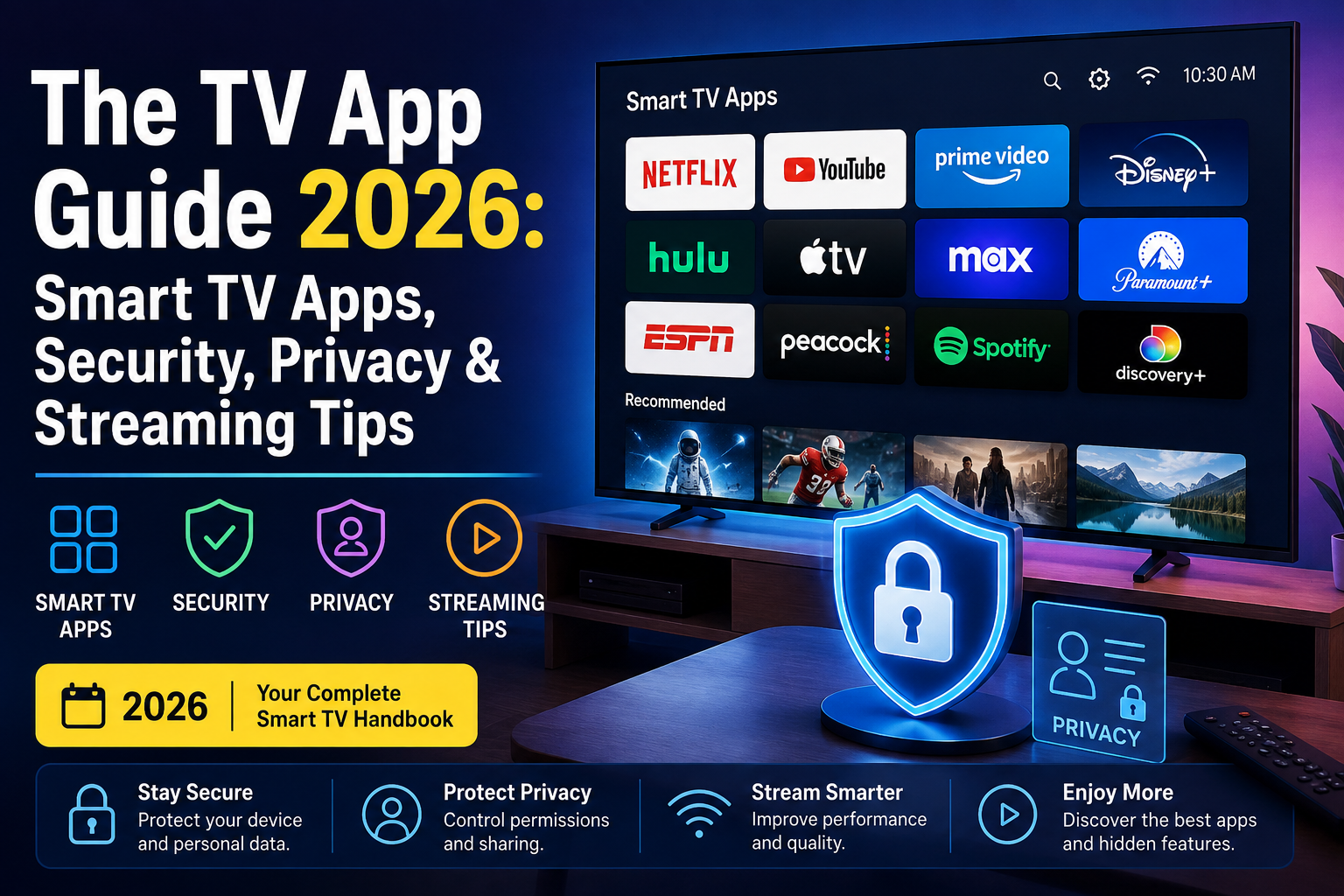

The TV App: Everything You Need to Know About Smart TV Apps, Streaming, Privacy, and Staying Safe in 2026
The TV app Smart TVs have transformed the way people enjoy entertainment. Instead of simply connecting a cable box or DVD player, today’s televisions function much like smartphones. They run operating systems, connect to the internet, download applications, receive software updates, and support thousands of streaming and utility services.
This evolution has made the TV app an essential part of modern home entertainment. Whether you’re streaming movies, watching live sports, listening to music, joining video calls, or even controlling smart home devices, TV apps have become the centre of the experience.
However, convenience comes with responsibility.
Recent security research has highlighted that not every TV application deserves your trust. Some apps have been found performing unexpected background activities, prompting major TV manufacturers to strengthen their review processes and remove applications that could expose users to unnecessary privacy and security risks. These developments remind consumers that installing apps on a television should be approached with the same caution as installing apps on a smartphone or computer.
This guide explains everything you need to know—from understanding how TV apps work to choosing trustworthy applications, protecting your privacy, improving performance, and preparing for the future of smart entertainment.
Why The TV App Matters More Than Ever
Just a decade ago, televisions had one primary purpose: displaying content.
Today, they’re connected computers with large displays.
Modern smart TVs allow users to:
- Stream movies and TV shows
- Watch live sports
- Access local and national news
- Browse YouTube
- Listen to music
- Play games
- Mirror smartphones
- Attend video meetings
- Control smart home devices
- Shop online
- Browse the web
- Use cloud gaming platforms
For many households, the television has become the most frequently used internet-connected device after smartphones.
As more daily activities shift to connected devices, TV apps influence both convenience and digital safety.
What Is The TV App?
The phrase “the TV app” can refer to several different things depending on the context.
Generally, it means any software application designed specifically for televisions or streaming devices.
Unlike traditional television channels, TV apps deliver content through an internet connection rather than cable or satellite.
Examples include:
| Category | Examples |
|---|---|
| Streaming | Netflix, Hulu, Disney+, Max |
| Live TV | YouTube TV, Sling TV |
| Sports | ESPN, NFL apps |
| Music | Spotify, Pandora |
| Education | TED, CuriosityStream |
| Gaming | Cloud gaming services |
| Utilities | Weather, clocks, calendars |
| Smart Home | Security cameras, lighting controls |
Some TV apps are developed by large companies with established security practices, while others are created by smaller developers offering niche experiences.
How Smart TV Apps Work
Every smart television includes an operating system.
Popular platforms include the following:
- Samsung Tizen
- LG webOS
- Google TV
- Android TV
- Roku OS
- Fire TV
- Apple tvOS
Each platform operates similarly.
The process usually looks like this:
- User opens the app store.
- Selects an application.
- Downloads it.
- Grants permissions.
- Signs in if necessary.
- Streams or accesses online services.
Behind the scenes, apps communicate with remote servers over the internet to deliver content, authenticate users, check for updates, and synchronise preferences.
Legitimate communication is expected.
Problems arise when apps perform background activities unrelated to their advertised purpose.
Why TV Apps Have Become So Popular
There are several reasons why millions of people now rely almost entirely on streaming apps.
Unlimited Content
Instead of fixed television schedules, viewers choose exactly what they want to watch.
Benefits include:
- On-demand movies
- Entire TV series
- Documentaries
- Children’s programming
- Live events
- International content
Personalized Recommendations
Modern apps analyse viewing history to recommend content tailored to individual preferences.
For example:
- Action movies
- Family entertainment
- Cooking shows
- Sports highlights
- Anime
- Educational videos
While personalisation improves the viewing experience, it also means apps collect usage data to understand viewing habits.
Multi-Device Synchronization
Many services remember where users stopped watching.
Someone can begin a movie on a television and continue later on a tablet or smartphone.
Cloud synchronisation has become an expected feature across premium streaming services.
High-Quality Streaming
Today’s TV apps support:
- HD
- Full HD
- 4K
- HDR
- Dolby Vision
- Dolby Atmos
As internet speeds continue improving across the United States, higher-quality streaming has become widely accessible.
The Growing Smart TV Ecosystem
Smart TVs are no longer isolated entertainment devices.
They connect with:
- Smartphones
- Tablets
- Smart speakers
- Security cameras
- Doorbells
- Thermostats
- Voice assistants
- Gaming consoles
- Home automation systems
A television may now serve as the control centre for an entire connected home.
That convenience also means maintaining strong security practices is increasingly important.
Understanding App Permissions
Many users quickly approve permission requests without reading them.
However, TV apps may ask for access to:
- Network connection
- Microphone
- Camera
- Storage
- Bluetooth
- Location
- Voice assistant
- Notifications
Some permissions are reasonable.
For example:
A video conferencing app requires camera access.
A streaming app generally does not.
Reviewing permissions carefully can reduce unnecessary data sharing.
Why Some Free Apps Aren’t Really Free
Free applications often rely on alternative business models.
These may include:
- Advertising
- Premium upgrades
- Subscription plans
- Affiliate marketing
- Data analytics
- Sponsored content
While many free apps operate transparently, users should understand how an application earns revenue before installing it.
Reading the privacy policy and checking the developer’s reputation can help identify trustworthy software.
Recent Security Concerns Around TV Apps
Smart TVs have traditionally been viewed as low-risk devices.
That perception has started to change.
Recent investigations into certain TV applications found that some apps included technology capable of sharing a home’s internet connection as part of residential proxy networks. Following these findings, Samsung announced it would remove apps containing this functionality from its TV ecosystem and tighten enforcement against similar software.
Although this does not mean all TV apps are unsafe, it reinforces the importance of downloading apps only from reputable developers and regularly reviewing installed software.
What Makes an App Trustworthy?
Before installing any TV app, ask these questions.
Does the Developer Have a Good Reputation?
Look for:
- Official websites
- Verified publisher names
- Contact information
- Customer support
- Privacy documentation
Avoid anonymous developers with little information available.
Are Reviews Genuine?
Read both:
- Positive reviews
- Critical reviews
Watch for repeated complaints involving:
- Excessive ads
- Crashes
- Strange permissions
- Privacy concerns
- Unexpected behavior
Patterns are often more informative than individual comments.
Is the App Updated Regularly?
Active development is a positive sign.
Frequent updates usually indicate:
- Bug fixes
- Security improvements
- Compatibility updates
- Performance enhancements
Applications abandoned for years may become vulnerable over time.
Common Categories of TV Apps
Streaming Apps
These remain the most downloaded television applications.
Popular uses include:
- Movies
- Series
- Originals
- Live television
- Sports
News Apps
Many major broadcasters now provide the following:
- Live broadcasts
- Breaking news
- Weather
- Local coverage
Educational Apps
Televisions have become valuable learning tools.
Educational platforms provide:
- Language learning
- Science
- History
- Mathematics
- Documentaries
Fitness Apps
Home workouts continue growing in popularity.
Many TV fitness apps include:
- Yoga
- HIIT
- Strength training
- Meditation
- Stretching
- Guided classes
The larger screen makes following instructors easier than using a phone.
Music Apps
Music services now integrate seamlessly with smart TVs.
Users can enjoy:
- Albums
- Podcasts
- Playlists
- Karaoke
- Music videos
Gaming Apps
Cloud gaming has expanded the role of televisions.
Instead of purchasing expensive gaming hardware, some services allow games to stream directly through compatible TVs using internet connectivity and supported controllers.
Signs an App May Not Be Worth Installing
Although no single warning sign guarantees malicious behaviour, consider avoiding apps that:
- Request unnecessary permissions
- Have almost no developer information
- Contain numerous spelling errors
- Display excessive advertisements
- Promise unrealistic features
- Have consistently poor reviews
- Haven’t received updates in years
- Ask users to install software outside the official TV app store
Practising caution reduces the risk of privacy issues and improves the overall smart TV experience.
Benefits of Choosing Quality TV Apps
Reliable applications offer more than entertainment.
Advantages include:
- Better security
- Faster performance
- Improved video quality
- Fewer crashes
- Regular updates
- Responsive customer support
- Stronger privacy protections
- Greater compatibility with new devices
Quality software often delivers a smoother and more dependable experience over time.
Understanding Smart TV Security
Many people assume hackers only target laptops, smartphones, or desktop computers. However, as smart TVs have become more capable and connected, they have also become attractive targets for cybercriminals and unethical developers.
Unlike traditional televisions, smart TVs remain connected to the internet for extended periods. They may communicate with streaming platforms, cloud services, advertising networks, voice assistants, and software update servers throughout the day.
Every internet-connected device represents a potential entry point if it isn’t properly secured.
That doesn’t mean smart TVs are inherently dangerous—it simply means users should treat them like any other connected device and follow good digital security practices.
How Smart TV Apps Communicate Online
Most TV apps rely on internet communication to function.
Common activities include:
- Authenticating user accounts
- Streaming video or music
- Synchronizing watch history
- Downloading thumbnails
- Checking for updates
- Loading recommendations
- Saving user preferences
- Processing subscriptions
These are expected and legitimate uses of an internet connection.
However, problems can arise if an app performs additional background activities that users neither expect nor authorise.
Transparency is one of the strongest indicators of a trustworthy application.
Why Some Apps Raise Privacy Concerns
Privacy concerns don’t always involve malware.
Sometimes an app may collect more information than necessary to provide its service.
Examples of information apps might request include:
- Device model
- Operating system version
- Network information
- Viewing habits
- Search history
- Crash reports
- General diagnostic data
Many reputable developers explain these practices clearly in their privacy policies and provide options for limiting data collection.
Users should become familiar with these disclosures before installing new apps.
The Difference Between Data Collection and Malicious Activity
It’s important to distinguish between normal data collection and behaviour that crosses the line.
Normal behavior
- Saving login information
- Remembering watch progress
- Recommending similar content
- Synchronizing multiple devices
- Downloading software updates
Potentially concerning behavior
- Unexpected background networking
- Excessive permission requests
- Hidden functionality unrelated to the app’s purpose
- Undisclosed sharing of internet resources
- Attempts to bypass platform security
Context matters.
An app designed for video streaming should behave differently from a smart home management app.
Why Official App Stores Matter
One of the safest habits is downloading apps only from your television’s official app marketplace.
These stores generally perform security reviews before approving applications.
While no review process is perfect, official marketplaces significantly reduce the likelihood of installing harmful software compared with unofficial sources.
Benefits include:
- Developer verification
- Malware screening
- Digital signatures
- Update distribution
- User reviews
- Faster removal of problematic apps
Installing software outside official channels increases risk and may also void manufacturer support in some cases.
Samsung’s Recent App Enforcement Explained
The smart TV industry recently received increased attention after reports that Samsung removed hundreds of television apps found to include software capable of turning users’ internet connections into residential proxy endpoints. The company also announced stronger enforcement against similar applications in the future. (timesofindia.indiatimes.com)
For everyday users, the key takeaway isn’t that smart TVs are unsafe.
Instead, it highlights several broader lessons:
- Even established platforms continue improving security.
- App review processes evolve over time.
- Risky software can occasionally pass initial reviews.
- Users benefit when manufacturers act quickly.
- Regular software updates remain essential.
Security is an ongoing process rather than a one-time feature.
What Is a Residential Proxy Network?
One of the terms appearing in recent discussions is residential proxy network.
For many users, this sounds highly technical.
Here’s a simplified explanation.
Every home internet connection has an IP address that identifies it online.
Some proxy services route internet traffic through residential IP addresses to make requests appear as though they originate from ordinary households rather than data centres.
There are legitimate uses for proxy technology, such as testing websites from different regions or conducting network research.
However, problems arise when software uses someone’s internet connection without clear knowledge and informed consent.
This is why transparency is so important.
Users deserve to know exactly how an application operates before installing it.
Why Background Network Activity Matters
Imagine downloading a simple weather app.
You expect it to:
- Retrieve forecasts
- Display temperatures
- Show radar images
You would not expect it to:
- Constantly transmit unrelated network traffic
- Consume internet bandwidth for hidden purposes
- Perform tasks unrelated to weather
The same principle applies to TV apps.
Applications should perform functions consistent with their stated purpose.
Unexpected background behaviour can affect the following:
- Internet performance
- Privacy
- Device resources
- Network reliability
Can Smart TVs Get Malware?
Yes.
Although malware targeting smart TVs is less common than malware targeting Windows PCs or Android smartphones, it is possible.
Potential threats include the following:
- Malicious applications
- Fake streaming apps
- Credential theft
- Ad fraud
- Phishing attempts
- Unauthorized remote access
- Software vulnerabilities
Fortunately, most users can avoid these risks by following basic security practices.
Signs Your TV App May Be Causing Problems
No single symptom proves malicious behaviour, but users should investigate if they notice the following:
Unusual Internet Usage
If your home network suddenly becomes much slower without explanation, review recently installed applications.
Unexpected Pop-Ups
Legitimate streaming apps rarely bombard users with random advertisements outside their normal interface.
Frequent Crashes
Poor-quality applications may become unstable or conflict with system software.
Overheating
Smart TVs naturally become warm during extended use.
However, unusually high temperatures combined with sluggish performance may indicate an app consuming excessive resources.
Slow Navigation
If menus suddenly become sluggish after installing a new application, removing recently added software may help identify the cause.
How to Choose Safe TV Apps
Before installing any app, follow this checklist.
Verify the Developer
Check:
- Official company website
- Customer support
- Contact information
- Company history
Established developers usually maintain a public presence.
Read the privacy policy.
Although privacy policies aren’t exciting, they explain:
- What data is collected
- Why it’s collected
- How it’s stored
- Whether information is shared
- User rights
Transparency builds trust.
Review Update History
Healthy applications receive updates that improve:
- Security
- Compatibility
- Stability
- Performance
An abandoned app may no longer receive security fixes.
Examine Permissions
Ask yourself:
Does this permission make sense?
For example:
A voice assistant needs microphone access.
A calculator does not.
The Importance of Software Updates
Keeping both your television and apps updated is one of the easiest ways to improve security.
Updates commonly include:
- Security patches
- Bug fixes
- Performance improvements
- New features
- Compatibility enhancements
Enable automatic updates whenever possible.
This reduces the chance of running outdated software with known vulnerabilities.
Why Password Security Still Matters
Many streaming accounts contain:
- Billing information
- Viewing history
- Personal preferences
- Family profiles
Protect these accounts with:
- Strong passwords
- Password managers
- Multi-factor authentication (when available)
Avoid reusing passwords across multiple services.
If one account is compromised, reused credentials increase risk elsewhere.
Protecting Children on Smart TVs
Many families share one television.
Parents should take advantage of built-in safety features.
Consider enabling:
- Content ratings
- PIN protection
- Purchase restrictions
- Screen time controls
- Profile separation
Most major streaming services also offer dedicated kids’ profiles with age-appropriate recommendations.
Public Wi-Fi and Smart TVs
Although televisions are usually used at home, some portable streaming devices travel with users.
Examples include:
- Hotels
- Vacation rentals
- Dormitories
- Temporary apartments
When connecting to unfamiliar networks:
- Avoid entering sensitive information unless necessary.
- Use official streaming apps.
- Sign out before leaving.
- Remove saved devices from your account afterward if needed.
Public networks generally provide less control than home internet connections.
Best Practices for Better Privacy
Privacy isn’t about hiding—it’s about maintaining control over your personal information.
Simple habits include:
- Disable unused voice features.
- Review advertising preferences.
- Remove unused apps.
- Log out of services you no longer use.
- Install updates promptly.
- Avoid suspicious downloads.
- Read permission requests.
- Use secure passwords.
Small actions add up over time.
Smart TV Security Checklist
| Security Practice | Recommended |
|---|---|
| Install apps only from official stores | ✅ Yes |
| Enable automatic updates | ✅ Yes |
| Review permissions | ✅ Yes |
| Use strong passwords | ✅ Yes |
| Remove unused apps | ✅ Yes |
| Update TV firmware | ✅ Yes |
| Review privacy settings | ✅ Yes |
| Ignore unofficial app downloads | ✅ Yes |
Common Myths About Smart TV Apps
Myth 1: TVs Can’t Be Hacked
False.
Any internet-connected device can potentially be targeted if vulnerabilities exist.
Myth 2: Every Free App Is Dangerous
False.
Many free apps are developed by reputable companies.
The important factor is transparency—not price.
Myth 3: Updates Only Add Features
Incorrect.
Many updates fix important security issues that users never see.
Myth 4: Privacy Doesn’t Matter on a TV
Incorrect.
Viewing habits, account information, and connected services all represent personal data that deserves protection.
Expert Tips for a Safer Smart TV Experience
Here are practical habits that make a meaningful difference:
- Install only apps you’ll actually use.
- Uninstall software you no longer need.
- Restart your TV occasionally to maintain performance.
- Review connected accounts once every few months.
- Keep streaming subscriptions organised.
- Check for firmware updates regularly.
- Be sceptical of apps making unrealistic promises, such as “free unlimited premium channels” or “unlock every paid service”.
If something sounds too good to be true, it often is.
The Future of The TV App
The way people watch television continues to evolve at a remarkable pace. What began as simple streaming apps has expanded into an ecosystem of personalised entertainment, cloud services, smart home integration, and artificial intelligence.
Over the next several years, the TV app is expected to become more than a platform for watching movies and shows. It will increasingly serve as a digital hub that connects entertainment, communication, shopping, gaming, and home automation into a single experience.
For consumers, this means more convenience—but also a greater need to understand how these applications work and how to use them responsibly.
Artificial Intelligence Is Changing TV Apps
Artificial intelligence (AI) is already influencing many aspects of the smart TV experience.
Instead of manually searching through hundreds of titles, AI-powered recommendation systems can suggest movies, TV shows, documentaries, and sports based on viewing preferences.
Future AI features may include:
- Personalized home screens
- Improved voice assistants
- Smarter search results
- Automatic subtitle translation
- Accessibility improvements
- Content summaries
- Intelligent parental controls
- Personalized sports highlights
While these features can improve convenience, users should still review privacy settings to understand what data supports these personalised experiences.
Voice Control Will Continue to Improve
Voice assistants have become a common feature in modern televisions.
Instead of using a remote control, users can say commands such as:
- “Open my streaming app.”
- “Play today’s baseball game.”
- “Find action movies.”
- “Pause the video.”
- “Turn up the volume.”
As voice recognition technology improves, televisions may better understand natural language, accents, and conversational requests.
If you don’t use voice features, consider disabling microphone access to reduce unnecessary permissions.
Cloud Gaming Is Expanding
Gaming no longer requires expensive consoles for every player.
Cloud gaming allows compatible televisions to stream games directly from remote servers.
Advantages include:
- No large downloads
- Reduced hardware requirements
- Faster access to games
- Automatic updates
- Cross-device synchronization
As internet speeds improve, cloud gaming is expected to become a larger part of the smart TV ecosystem.
Smart Home Integration
Today’s televisions increasingly interact with other connected devices.
Examples include:
- Video doorbells
- Indoor cameras
- Outdoor security cameras
- Smart lights
- Smart thermostats
- Smart speakers
- Robot vacuums
Instead of switching between multiple apps on different devices, users may eventually manage much of their connected home directly from the television.
Security becomes especially important when televisions have access to multiple smart home services.
Streaming Competition Continues to Grow
The streaming industry remains highly competitive.
Consumers now have access to:
- Subscription services
- Free ad-supported platforms
- Live television streaming
- Sports packages
- Regional content
- Premium movie libraries
- Educational platforms
- Niche entertainment services
This competition encourages providers to improve.
- Video quality
- User experience
- Pricing options
- Original programming
- Accessibility
- Cross-platform compatibility
For viewers, it means more choices than ever before.
Accessibility Features Are Becoming Better
Modern TV apps increasingly include accessibility tools that make entertainment more inclusive.
Common accessibility features include:
- Closed captions
- Audio descriptions
- Adjustable subtitle size
- Voice navigation
- High-contrast interfaces
- Screen reader compatibility
- Color accessibility options
As technology advances, these features are likely to become even more sophisticated and customisable.
The Importance of Digital Responsibility
Technology is most valuable when used thoughtfully.
Whether installing a streaming service, downloading a game, or exploring a new productivity tool, users should develop habits that prioritise safety.
Responsible digital habits include the following:
- Reading permission requests
- Installing updates promptly
- Removing unused software
- Using secure passwords
- Reviewing privacy settings periodically
- Downloading apps only from trusted sources
These simple practices help create a safer experience across all internet-connected devices—not just televisions.
Choosing the Right TV Apps
Not every app is suitable for every household.
Before downloading an application, consider the following questions:
Does It Solve a Real Need?
Avoid installing apps simply because they’re popular.
Instead, ask:
- Will I actually use this?
- Does it improve my viewing experience?
- Is it worth the storage space?
Is the Developer Trustworthy?
Research the company.
Look for:
- Official support
- Transparent privacy information
- Regular updates
- Positive long-term reputation
Does It Respect User Privacy?
Good developers explain:
- What data is collected
- Why it is collected
- How it is protected
- Whether users can control privacy settings
Transparency is an important sign of trust.
Common Mistakes Smart TV Users Make
Many security problems result from simple oversights rather than sophisticated cyberattacks.
Avoid these common mistakes:
Ignoring Updates
Outdated software may contain security weaknesses that have already been fixed in newer versions.
Installing Too Many Apps
More apps create more opportunities for unnecessary permissions and background activity.
Keep only the applications you regularly use.
Reusing Passwords
Using the same password for multiple streaming services increases the impact of a compromised account.
Unique passwords provide stronger protection.
Leaving Old Accounts Signed In
If you sell or donate a television, always perform a factory reset and remove all personal accounts first.
Overlooking Privacy Settings
Many users never review privacy preferences after the initial setup.
Take a few minutes to check them periodically.
Maintaining Your Smart TV Over Time
A well-maintained television generally performs better and remains more secure.
Consider this simple maintenance schedule.
| Task | Recommended Frequency |
|---|---|
| Check for firmware updates | Monthly |
| Review installed apps | Every 2–3 months |
| Remove unused software | Every 3 months |
| Review account security | Every 6 months |
| Change important passwords | Annually or after a suspected breach |
| Factory reset before selling | Always |
Routine maintenance requires very little time but can improve both performance and security.
Quick Comparison: Good Habits vs. Risky Habits
| Good Habits | Risky Habits |
|---|---|
| Download from official stores | Install apps from unknown sources |
| Read app permissions | Ignore permission requests |
| Keep software updated | Delay updates indefinitely |
| Use strong passwords | Reuse the same password everywhere |
| Remove unused apps | Keep dozens of unnecessary apps installed |
| Review privacy settings | Accept every default setting without checking |
| Research developers | Install unknown apps without verification |
Frequently Asked Questions (FAQs)
What is the TV app?
The term ‘TV app’ generally refers to software designed for smart televisions or streaming devices. These apps provide services such as streaming movies, watching live TV, listening to music, playing games, accessing educational content, or managing smart home devices.
Are smart TV apps safe?
Most apps available through official TV app stores are designed to meet platform security requirements. However, users should still research developers, review permissions, and install updates regularly.
Can smart TVs get viruses?
While traditional computer viruses are uncommon on smart TVs, malicious apps and software vulnerabilities can still create security risks. Using official app stores and keeping software updated significantly reduces those risks.
Should I update my TV regularly?
Yes.
Firmware updates often include:
- Security improvements
- Performance enhancements
- Bug fixes
- Compatibility updates
Keeping software current is one of the simplest ways to improve device security.
Are free TV apps dangerous?
Not necessarily.
Many reputable companies offer free applications supported by advertising or optional subscriptions.
The important factors are the following:
- Developer reputation
- Privacy transparency
- User reviews
- Official distribution channels
Why do TV apps request permissions?
Permissions allow apps to access features required for their intended purpose.
Examples include:
- Microphone access for voice search
- Storage access for downloads
- Network access for streaming
Users should question permissions that seem unrelated to an app’s primary function.
How often should I review installed apps?
A review every two or three months is a practical habit.
Remove apps you no longer use to reduce clutter and minimise unnecessary permissions.
Is a factory reset necessary before selling a TV?
Yes.
A factory reset removes:
- Streaming accounts
- Saved passwords
- Personal preferences
- Network settings
This protects your personal information before transferring ownership.
Key Takeaways
Smart televisions have evolved into sophisticated connected devices capable of delivering entertainment, communication, gaming, education, and smart home control from a single screen.
The convenience of the TV app ecosystem comes with responsibilities.
Users should remember these core principles:
- Download apps only from official stores.
- Research developers before installing software.
- Read permission requests carefully.
- Keep TVs and apps updated.
- Review privacy settings periodically.
- Use strong, unique passwords.
- Remove applications you no longer use.
- Stay informed about new security developments.
These habits require only a small investment of time but can significantly improve your overall experience.
Conclusion
The world of the TV app is expanding rapidly, offering incredible entertainment possibilities alongside new responsibilities. Smart TVs are no longer passive screens—they are connected computing platforms that deserve the same attention to security, privacy, and maintenance as any other internet-enabled device.
By understanding how TV apps work, selecting trusted software, keeping systems updated, and adopting sensible digital habits, you can confidently enjoy everything modern smart TVs have to offer while minimising unnecessary risks.
Read More: Apple TV Outage: What Happened, Why It Happened & How to Fix It (2026)
Final Thoughts
The television has come a long way from its origins as a simple broadcast receiver. Today, it serves as a gateway to streaming media, interactive entertainment, cloud services, and connected home technology. As innovation continues, TV apps will likely become even more intelligent, personalised, and integrated into everyday life.
Recent industry actions involving the removal of certain apps with questionable network behaviour serve as a reminder that the smart TV ecosystem is still evolving. Platform providers continue refining their security standards, while users play an equally important role by making informed choices about the software they install and the permissions they grant.
Ultimately, the best smart TV experience combines convenience with caution. By choosing trusted apps, maintaining your device, and practising good digital habits, you can enjoy the benefits of modern television technology while helping protect your privacy and security.
Whether you’re streaming the latest blockbuster, following your favourite sports team, discovering educational content, or exploring new entertainment platforms, understanding the TV app ecosystem empowers you to make smarter decisions and get the most from your connected TV.