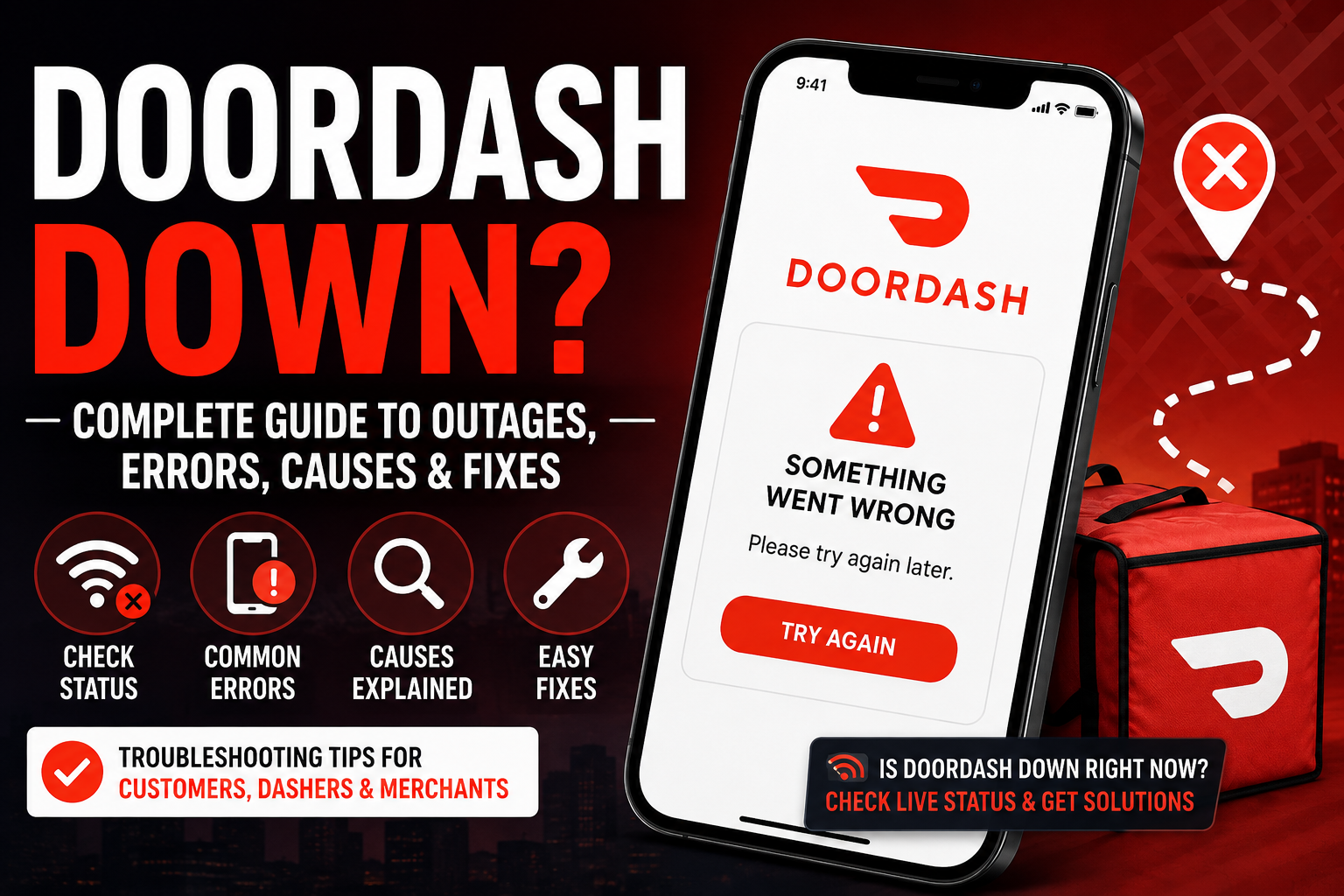

Is DoorDash Down? A Complete Guide to Understanding DoorDash Outages, Common Errors, and How to Fix Them
Introduction
When you’re hungry and expecting a meal to arrive within minutes, few things are more frustrating than opening the DoorDash app only to discover that it isn’t working properly. Whether you’re greeted by a loading screen, an unexpected error message, or a checkout failure, the first question that comes to mind is simple: Is DoorDash down?
As one of the largest food delivery platforms in the United States, DoorDash connects millions of customers with restaurants, grocery stores, convenience stores, and local businesses every day. Because so many people rely on the platform, even a short disruption can affect thousands—or sometimes millions—of users across the country.
The good news is that not every issue means the entire platform is offline. In many cases, problems are temporary and can be resolved within minutes. Other times, the issue may be related to your internet connection, device settings, or an app update rather than DoorDash itself.
This comprehensive guide explains everything you need to know about DoorDash outages. You’ll learn how to determine whether the service is experiencing a widespread problem, why outages happen, how to troubleshoot common issues, and what customers, Dashers, and merchants can do while waiting for service to return.
Whether you’re trying to place dinner for your family, complete deliveries as a Dasher, or manage restaurant orders, this guide will help you understand what’s happening and what steps to take next.
What Does “DoorDash Down” Mean?
When people search for “DoorDash down”, they are usually referring to one of several different situations. The platform may not necessarily be completely offline. Instead, certain features or services may temporarily stop working.
A DoorDash outage can affect the following:
- Customer ordering
- Restaurant order management
- Dasher delivery requests
- Payment processing
- Account login
- Search functionality
- Real-time order tracking
- Customer support tools
Sometimes only one feature experiences problems while the rest of the platform continues operating normally. For example, users might be able to browse restaurants but encounter errors when trying to complete payment.
Other times, the entire ecosystem may experience widespread disruptions that prevent customers from placing orders and Dashers from accepting deliveries.
Understanding the type of outage helps determine whether the problem is isolated or affecting users nationwide.
How DoorDash Works Behind the Scenes
To understand why outages occur, it’s helpful to know how DoorDash operates.
Every order involves several systems working together simultaneously.
A typical order follows this process:
- A customer opens the app.
- Nearby restaurants are loaded.
- Menu information is retrieved.
- Items are added to the cart.
- Payment is securely processed.
- The restaurant receives the order.
- A Dasher is assigned.
- GPS tracking begins.
- Delivery updates are sent.
- The customer receives the order.
Each of these steps depends on cloud infrastructure, databases, payment gateways, location services, and communication between multiple servers.
If just one component experiences technical difficulties, users may encounter errors even though the rest of the platform appears functional.
Common Signs That DoorDash May Be Down
People often notice problems before they know whether an outage is affecting everyone.
Some of the most common warning signs include:
The App Won’t Open
The application may remain stuck on the loading screen or repeatedly crash after launching.
Possible symptoms include:
- Endless loading animation
- Blank white screen
- App closes immediately
- Home screen never appears
Login Problems
Many users first notice an outage when they are suddenly unable to sign in.
Common login issues include:
- Incorrect password messages despite entering the correct credentials
- Verification code delays
- Login loops
- Authentication failures
These problems may indicate server-side authentication issues rather than account problems.
Checkout Errors
One of the most frustrating situations occurs when you’ve already selected your meal but cannot complete your purchase.
Possible checkout problems include:
- Payment declined unexpectedly
- Cart won’t load
- Checkout button doesn’t respond
- Order submission fails
- Unexpected processing errors
“Something Went Wrong” Messages
This generic message appears when the application cannot successfully communicate with DoorDash’s servers.
Although the wording is vague, it usually points to one of three situations:
- Temporary server issues
- Network interruptions
- Software bugs
Restaurants Suddenly Disappear
If nearby restaurants suddenly vanish or only a few listings appear, the issue may involve location services or server synchronisation.
Sometimes menus load without prices.
Sometimes restaurants appear unavailable even though they are open.
Order Tracking Stops Updating
Customers may notice that:
- Driver location freezes
- Delivery progress stops
- Estimated arrival time disappears
- Notifications stop arriving
This doesn’t always mean the delivery has stopped. Sometimes only the tracking service is affected.
Is Every DoorDash Problem an Outage?
No.
One of the biggest misconceptions is assuming every error means DoorDash is experiencing a nationwide outage.
Many problems originate on the user’s own device.
Examples include:
Weak Internet Connection
Poor Wi-Fi or unstable mobile data can interrupt communication with DoorDash servers.
Outdated App Version
Running an older version of the application may cause compatibility issues after a new update is released.
Device Storage Problems
Phones with very little available storage sometimes struggle to load large applications efficiently.
VPN Usage
VPN services occasionally interfere with location detection or security verification.
Operating System Issues
Older versions of Android or iOS may not fully support newer app features.
Cached Data Problems
Corrupted cache files can produce unexpected behaviour.
Examples include:
- Frozen screens
- Missing menus
- Login failures
- Slow performance
Clearing the application’s cache often resolves these issues.
Why Does DoorDash Sometimes Go Down?
Modern delivery platforms rely on complex technology infrastructure.
Even companies with advanced engineering teams occasionally experience technical issues.
Some common causes include:
Server Overload
During busy periods such as:
- Friday evenings
- Football weekends
- National holidays
- Severe weather
- Major sporting events
Millions of users may attempt to place orders simultaneously.
Heavy traffic increases demand on servers and can slow response times.
Software Updates
Companies regularly deploy:
- Security updates
- Performance improvements
- New features
- Infrastructure upgrades
Occasionally an update introduces an unexpected bug that affects part of the platform.
Engineers usually identify and correct these issues quickly.
Payment Gateway Problems
DoorDash depends on secure payment processors.
If a payment provider experiences technical difficulties, customers may be unable to complete purchases even though restaurant browsing continues to work normally.
Cloud Infrastructure Issues
Large online platforms often operate across multiple cloud data centres.
Unexpected problems involving cloud services may affect:
- Authentication
- Databases
- Notifications
- Image loading
- Order synchronization
Third-Party Service Interruptions
DoorDash integrates with numerous external systems.
Examples include:
- Mapping services
- GPS providers
- SMS notification services
- Email systems
- Payment processors
- Fraud detection systems
If one of these services experiences downtime, certain DoorDash features may stop functioning temporarily.
How to Tell If DoorDash Is Down for Everyone
Instead of immediately reinstalling the app, spend a few minutes determining whether the issue is widespread.
Here are several methods.
Check Service Status Websites
Independent outage monitoring websites collect reports from users across the country.
If thousands of people begin reporting issues within a short period, there’s a good chance the problem is affecting many users rather than just your device.
Pay attention to trends rather than individual reports.
Search Recent Discussions
Social media platforms often become active within minutes of a widespread outage.
Customers may report:
- Checkout failures
- Error messages
- Login issues
- Missing orders
If many people are experiencing similar problems at the same time, it’s likely a broader service interruption.
Ask Friends or family.
If someone nearby also cannot use DoorDash, the issue is probably not limited to your phone.
This simple comparison can quickly help determine whether you’re dealing with a personal technical problem or a larger outage.
Test Multiple Devices
Try accessing your account from:
- Another smartphone
- A tablet
- A web browser
If the same problem occurs everywhere, the issue is more likely related to the service itself.
What to Do If DoorDash Isn’t Working
Before assuming the platform is experiencing an outage, try these simple troubleshooting steps.
Restart the app.
Completely close the application.
Wait about 30 seconds before reopening it.
Temporary glitches often disappear after a fresh launch.
Check Your Internet Connection
Switch between Wi-Fi and mobile data.
If one connection is unstable, the other may restore access.
You can also test other apps or websites to confirm your internet connection is functioning properly.
Update the app.
Visit your device’s app store and install the latest available version.
Developers frequently release updates that resolve bugs, improve compatibility, and enhance performance.
Running the newest version helps reduce the chance of encountering issues caused by outdated software.
Restart Your Device
Although it sounds simple, restarting your phone can resolve temporary operating system glitches that interfere with apps.
It also refreshes background processes and network connections.
Clear Cached Data (Android)
If you’re using an Android device, clearing the app’s cache can remove corrupted temporary files without deleting your account information.
This often fixes problems such as the following:
- Slow loading
- Repeated crashes
- Login errors
- Blank screens
Wait and Try Again Later
If you’ve confirmed that many users are experiencing similar problems, the most effective solution may simply be to wait.
Technical teams typically work quickly to restore service during widespread outages.
Repeatedly refreshing the app or attempting dozens of checkouts rarely speeds up the recovery process.
Instead, give the service some time before trying again.
DoorDash Down: Complete Troubleshooting Guide, User Solutions, and What to Do During an Outage
How to Troubleshoot Common DoorDash Problems
Not every issue requires waiting for DoorDash to restore its services. In many cases, a few simple troubleshooting steps can help you determine whether the problem is on your end or part of a larger platform issue.
Work through the following solutions one at a time rather than trying everything at once. This approach makes it easier to identify what resolved the issue.
1. Verify Your Internet Connection
A stable internet connection is essential for nearly every feature within the DoorDash app.
Before assuming the platform is unavailable:
- Open another website or app.
- Run a quick internet speed test.
- Switch between Wi-Fi and cellular data.
- Move closer to your router if you’re using Wi-Fi.
- Disable Aeroplane Mode if it’s enabled.
Even a brief interruption in connectivity can prevent menus from loading or stop an order from being submitted.
2. Check for App Updates
Software updates aren’t just about adding new features—they often fix bugs and improve compatibility with newer operating systems.
Using an outdated version of the app may result in:
- Unexpected crashes
- Checkout failures
- Login problems
- Slow performance
- Missing features
Install any available updates before continuing with other troubleshooting steps.
3. Restart Your Device
Many users skip this step because it seems too simple, but restarting your smartphone refreshes memory, closes stuck background processes, and reconnects network services.
A quick restart may solve the following:
- App freezing
- Screen loading issues
- Network interruptions
- Notification delays
4. Reinstall the DoorDash app.
If problems continue, uninstalling and reinstalling the application can replace damaged files that may be causing errors.
Before removing the app:
- Make sure you remember your login credentials.
- Confirm that your payment information is securely stored in your account.
- Install the latest version from your device’s official app store.
5. Disable VPN Services
Virtual Private Networks (VPNs) can sometimes interfere with the following:
- Location detection
- Security verification
- Payment processing
- Account authentication
If you’re connected to a VPN, temporarily disconnect it and try accessing DoorDash again.
6. Check Device Date and Time
Incorrect date or time settings can interfere with secure connections.
Enable automatic date and time synchronisation in your device settings whenever possible.
Understanding Common DoorDash Error Messages
Many users encounter short, generic messages that don’t clearly explain what’s happening.
Understanding these messages can help determine the next step.
“Something Went Wrong”
This is one of the most common DoorDash errors.
Possible causes include:
- Temporary server interruption
- Poor internet connection
- Maintenance activity
- Application bugs
- High server traffic
Most of the time, this error disappears after a short period.
Unable to Load Restaurants
If nearby restaurants fail to appear, possible reasons include:
- GPS problems
- Location permissions disabled
- Server synchronization issues
- Temporary outage
- Weak internet connection
Confirm that your device has location services enabled before troubleshooting further.
Payment Could Not Be Processed
Payment failures don’t always indicate an issue with your bank.
Possible explanations include the following:
- Temporary payment processor interruption
- Verification delays
- Card authorization problems
- Security review
- Temporary platform issues
Avoid repeatedly submitting the same payment if you’re unsure whether it has already been processed.
Instead, check your banking app before attempting another purchase.
Unable to Complete Checkout
Checkout failures may occur because:
- The selected restaurant has stopped accepting orders.
- Inventory has changed.
- A technical issue interrupted the ordering process.
- The shopping cart expired.
- The platform is experiencing heavy traffic.
Refreshing the cart often resolves minor issues.
Order Status Not Updating
Sometimes your order continues progressing even though the tracking screen appears frozen.
Possible explanations include the following:
- GPS synchronization delay
- Notification service interruption
- Temporary network issue
- High platform traffic
Unless the delay becomes unusually long, your delivery may still be on schedule.
What Customers Should Do During a DoorDash Outage
Customers are often the first group affected by service disruptions.
Here are practical ways to minimise frustration.
Avoid Multiple Duplicate Orders
Repeatedly pressing the checkout button may create duplicate transactions once the system recovers.
If the screen freezes after payment, wait several minutes before trying again.
Also check:
- Email confirmation
- Text messages
- Order history
- Banking transactions
This helps determine whether your order was actually submitted.
Save Your Cart
If the app allows it, leave your items in the shopping cart.
Many outages are resolved quickly, allowing you to complete checkout without rebuilding your order.
Contact the Restaurant Directly
If you’re unsure whether your order reached the restaurant, calling them directly may provide clarity.
Some restaurants can confirm whether they received your order even if the DoorDash app isn’t updating properly.
Consider pickup.
If the restaurant is nearby, pickup may be faster than waiting for delivery services to recover.
Many restaurants accept direct pickup orders through their own websites or phone lines.
What Dashers Should Do During an Outage
Delivery drivers depend on the platform to receive assignments, communicate with customers, and track earnings.
Service interruptions can create uncertainty, but staying organised helps reduce confusion.
Avoid Force-Closing Active Deliveries
If you’re already delivering an order, avoid repeatedly closing the app.
Instead:
- Wait a few moments.
- Check your internet connection.
- Reopen the application only if necessary.
Frequent restarts may interrupt navigation or communication.
Document Active Orders
If you experience problems during a delivery, consider noting the following:
- Customer address
- Order number
- Pickup location
- Delivery time
- Screenshots of any error messages
Having this information available may be helpful if support is needed later.
Stay in Communication
If messaging features continue working, keep customers informed about unexpected delays.
Clear communication often reduces frustration and improves the overall delivery experience.
Monitor Earnings
After service is restored, review your completed deliveries and earnings summary.
Verify that:
- Completed orders appear correctly.
- Tips have been recorded.
- Delivery pay matches completed work.
If something seems incorrect, contact support with the relevant order information.
What Merchants Should Do During Platform Problems
Restaurants and stores can also experience disruptions during an outage.
Taking a few proactive steps can help reduce confusion for both staff and customers.
Monitor Incoming Orders
Watch for unusual patterns, such as:
- No new orders for an extended period
- Duplicate orders
- Delayed order notifications
- Missing customer details
These signs may indicate a temporary technical issue.
Keep Staff Updated
Inform employees if an outage appears to be affecting incoming orders.
This prevents unnecessary confusion in the kitchen and at the pickup counter.
Offer Alternative Ordering Options
If available, encourage customers to:
- Order directly by phone
- Use your website
- Visit the restaurant
- Place pickup orders
Diversifying ordering channels can help maintain business during temporary disruptions.
Are DoorDash Outages Nationwide?
Not always.
Many outages affect only specific regions or certain platform features.
Examples include:
- One state experiencing login problems
- Payment issues affecting selected users
- Restaurant listings unavailable in certain cities
- Driver assignment delays in high-demand markets
Large nationwide outages are less common than localised technical issues.
Understanding this distinction helps set realistic expectations.
Why Outages Sometimes Affect Only Certain Users
Technology platforms often distribute traffic across multiple servers.
As a result:
- One region may experience problems.
- Another region continues operating normally.
- Android users may see different issues than iPhone users.
- The website may continue working while the mobile app experiences difficulties.
This explains why friends in another city may still be able to place orders successfully while your app isn’t functioning properly.
How Long Do DoorDash Outages Usually Last?
There isn’t a universal answer because every incident is different.
The duration depends on factors such as the following:
- Cause of the problem
- Number of systems affected
- Complexity of the fix
- Platform traffic
- Required testing before restoration
Some interruptions last only a few minutes.
Others may continue for several hours if multiple systems require repairs.
Fortunately, large technology companies typically prioritise restoring critical services as quickly as possible.
Can You Receive a Refund During an Outage?
The answer depends on what happened with your order.
For example:
You were charged, but no order was created.
If payment was processed but the order never appeared in your account, first verify the transaction with your bank.
Some charges may be temporary authorisations that automatically disappear.
Your Order Was Never Delivered
If the restaurant accepted your order but delivery couldn’t be completed, review the order details within your account once service is restored.
Support options are often available for eligible situations.
Duplicate Charges
Avoid assuming every duplicate-looking charge is permanent.
Sometimes payment processors temporarily display multiple authorisation holds before finalising the correct transaction.
Always review your final statement before requesting assistance.
How to Reduce Future Ordering Problems
Although no one can prevent platform-wide outages, there are several ways to reduce the likelihood of experiencing avoidable issues.
Keep the app updated.
Enable automatic updates whenever possible.
This ensures you’re using the latest version with recent bug fixes and performance improvements.
Maintain a Reliable Internet Connection
Stable internet remains one of the biggest factors in app performance.
If possible:
- Use reliable Wi-Fi.
- Switch to mobile data when Wi-Fi becomes unstable.
- Avoid placing orders in areas with weak cellular coverage.
Verify Payment Information
Expired cards and outdated payment methods often create unnecessary checkout problems.
Review your payment details periodically to ensure they’re current.
Enable Notifications
Push notifications provide timely updates about the following:
- Order confirmations
- Delivery progress
- Driver arrival
- Unexpected delays
Receiving these alerts helps you stay informed even if you temporarily close the app.
Save Backup Ordering Options
Having alternative food delivery services or local restaurant phone numbers available can be helpful during unexpected outages.
Keeping a few backup choices in mind means you won’t have to start searching when you’re already hungry.
Key Takeaways
If DoorDash isn’t working, don’t immediately assume the entire platform is offline. Many issues stem from temporary network interruptions, outdated software, or device-specific problems.
A systematic approach—checking your connection, updating the app, verifying payment status, and confirming whether others are experiencing similar issues—can save time and reduce frustration.
When a widespread outage does occur, patience is often the best solution. Most disruptions are temporary, and services are restored once technical teams resolve the underlying issue.
Being prepared, understanding common error messages, and knowing how to troubleshoot effectively can make the experience much less stressful for customers, Dashers, and merchants alike.
DoorDash Down: Advanced Insights, Expert Tips, FAQs, and Final Thoughts
The Technology Behind DoorDash
Most people simply tap a few buttons, place an order, and wait for food to arrive. Behind that simple experience, however, is a sophisticated network of technologies working together in real time.
Every order depends on multiple interconnected systems, including:
- Customer account services
- Restaurant management systems
- Driver assignment algorithms
- GPS and mapping services
- Secure payment processing
- Push notification services
- Cloud-based databases
- Inventory synchronization
- Fraud detection tools
- Customer support platforms
If any one of these components experiences unexpected issues, users may notice delays or temporary disruptions. In many cases, engineers can restore the affected service without shutting down the entire platform, which is why some users experience problems while others continue ordering normally.
Planned Maintenance vs. Unexpected Outages
Not every interruption is the result of a technical failure.
Large online platforms regularly perform maintenance to improve performance, strengthen security, and introduce new features.
Planned Maintenance
Scheduled maintenance is typically designed to:
- Improve system performance
- Upgrade infrastructure
- Patch security vulnerabilities
- Enhance reliability
- Deploy new functionality
Whenever possible, companies try to minimise customer impact during these updates.
Unexpected Outages
Unexpected service interruptions can occur due to:
- Software bugs
- Infrastructure failures
- Configuration errors
- Third-party service disruptions
- Network congestion
- Database synchronization problems
- Hardware failures
- High traffic volumes
Because many systems work together, identifying the exact source of an issue may take time.
How DoorDash Prioritizes Service Recovery
When a widespread issue occurs, technical teams generally focus on restoring essential functionality before addressing secondary features.
A typical recovery sequence may involve:
- Stabilizing core infrastructure
- Restoring customer logins
- Bringing payment systems back online
- Recovering order placement
- Reconnecting restaurants
- Restoring Dasher dispatch
- Synchronizing order tracking
- Resolving delayed notifications
This phased approach helps restore critical operations as quickly as possible.
Why Some Orders Continue During an Outage
Users are often surprised to see that existing deliveries continue even when new orders cannot be placed.
This happens because different parts of the platform serve different purposes.
For example:
- Existing delivery assignments may already be stored locally on a Dasher’s device.
- Navigation can continue using mapping services.
- Restaurants may continue preparing accepted orders.
- Customers may still receive some notifications.
Meanwhile, features such as checkout or payment processing may remain temporarily unavailable.
Security During a DoorDash Outage
Many users worry about the safety of their personal information when a popular online service experiences problems.
Most outages are caused by operational or technical issues rather than security incidents.
Even so, it’s always good practice to protect your account.
Recommended Security Habits
- Use a strong, unique password.
- Enable two-factor authentication if available.
- Avoid sharing verification codes.
- Keep your operating system updated.
- Install app updates promptly.
- Monitor payment activity regularly.
- Ignore unsolicited messages claiming to “fix” your account.
If you receive emails or text messages asking for passwords or payment information, verify their legitimacy before responding.
Common Myths About DoorDash Outages
Misinformation often spreads quickly during service disruptions. Understanding the facts can help avoid unnecessary confusion.
Myth 1: Every Error Means the Entire Platform Is Down
Fact: Many issues affect only specific features, geographic regions, or individual devices.
Myth 2: Reinstalling the App Always Fixes the Problem
Fact: Reinstalling may solve device-related issues, but it cannot resolve a server-side outage.
Myth 3: Refreshing the App Repeatedly Restores Service Faster
Fact: Constant refreshing does not speed up recovery and may simply increase frustration.
Myth 4: Every Failed Payment Results in a Permanent Charge
Fact: Some payment attempts create temporary authorisation holds that disappear automatically if the order is not completed.
Myth 5: DoorDash Never Experiences Temporary Interruptions
Fact: Like any large online platform, occasional service disruptions are possible despite significant investments in technology and reliability.
Tips for a Better DoorDash Experience
While outages cannot always be avoided, adopting a few best practices can make everyday ordering smoother.
Keep Your Profile Updated
Ensure that your:
- Delivery address is accurate.
- Phone number is current.
- Payment methods are valid.
- Contact preferences are up to date.
This reduces the likelihood of delays caused by outdated account information.
Double-Check Your Order Before Checkout
Review:
- Restaurant selection
- Delivery address
- Item quantities
- Special instructions
- Payment method
Taking a moment to verify your order can prevent avoidable mistakes.
Place Orders Before Peak Hours
Ordering slightly earlier than major meal times may offer several advantages, including:
- Faster restaurant preparation
- Shorter delivery estimates
- Better menu availability
- Reduced congestion during busy periods
Keep Notifications Enabled
Real-time notifications help you stay informed about:
- Order acceptance
- Driver assignment
- Pickup confirmation
- Delivery progress
- Unexpected delays
Be Patient During High Demand
Bad weather, holidays, and major events often increase order volume.
Longer wait times during these periods don’t necessarily indicate that the platform is experiencing an outage.
Alternative Food Delivery Options
If DoorDash is temporarily unavailable, you may still be able to order from local restaurants using other methods.
Possible alternatives include the following:
| Option | Best For | Notes |
|---|---|---|
| Restaurant websites | Direct ordering | Some restaurants offer exclusive promotions. |
| Restaurant phone orders | Pickup or local delivery | Helpful if online systems are busy. |
| Grocery stores | Meal ingredients | Useful for home cooking. |
| Local delivery services | Regional coverage | Availability varies by location. |
| Pickup orders | Faster service | Often avoids delivery delays. |
Having multiple ordering options can be helpful during periods of unusually high demand.
Frequently Asked Questions
Why does DoorDash keep saying “Something went wrong”?
This message generally indicates that the app couldn’t complete a requested action. Possible causes include temporary server issues, internet connectivity problems, or software glitches.
How can I tell if the problem is only affecting me?
Try opening DoorDash on another device, checking your internet connection, and seeing whether other users are reporting similar issues.
Should I keep pressing the checkout button?
No. Repeated checkout attempts may increase the risk of duplicate order requests or temporary payment authorisations.
Can I cancel an order during an outage?
This depends on the order’s current status. If the app is unavailable, you may need to wait until service is restored before accessing certain account features.
Why isn’t my driver moving on the map?
GPS updates may occasionally be delayed. In many cases, the driver is still travelling even if the map appears frozen.
Does reinstalling the app delete my account?
No. Reinstalling removes the application from your device but does not permanently delete your account information.
Can an outdated app cause ordering problems?
Yes. Running an older version may lead to compatibility issues, missing features, or unexpected errors.
Why do restaurants disappear from the app?
Possible reasons include location settings, temporary server synchronisation issues, restaurant availability changes, or local technical problems.
How long do most outages last?
Every incident is different. Some disruptions last only a few minutes, while others may take longer depending on the complexity of the issue.
Is my payment information safe during an outage?
Most technical outages do not indicate that payment information has been compromised. Continue following standard online security practices and monitor your financial statements regularly.
Can Dashers continue delivering during an outage?
Sometimes, yes. Existing deliveries may continue even if new orders cannot be assigned.
Why can my friend order while I can’t?
Different servers, app versions, internet providers, operating systems, or geographic regions may produce different experiences during partial outages.
Does poor internet look like a DoorDash outage?
Absolutely. Weak or unstable connections can create symptoms that resemble a platform-wide issue.
Will clearing the app cache remove my account?
No. Clearing cached files generally removes temporary data without deleting your account or order history.
Should I contact support immediately?
If you’ve confirmed that a widespread outage is occurring, waiting for service restoration may be more effective than submitting multiple support requests for the same issue.
Final Thoughts
Searching for “DoorDash down” usually means you’re looking for quick answers during a frustrating moment. While temporary disruptions can interrupt ordering, it’s important to remember that not every issue points to a platform-wide outage.
Taking a few minutes to verify your internet connection, update the app, review your payment status, and determine whether others are experiencing similar problems can help you identify the true cause more quickly.
For customers, patience and careful troubleshooting often resolve the situation. For Dashers and merchants, staying informed and documenting any unusual behaviour can make recovery smoother once services return to normal.
As digital delivery platforms continue to evolve, occasional technical interruptions remain a normal part of operating complex online services at massive scale. Fortunately, most issues are temporary, and established recovery procedures help restore normal operations as efficiently as possible.
By understanding how DoorDash works, recognising common error messages, and following practical troubleshooting steps, you’ll be better prepared the next time the app doesn’t behave as expected.
Whether you’re ordering dinner, delivering meals, or managing restaurant operations, knowing how to respond calmly and systematically can save time, reduce frustration, and help you get back to what matters most.